SillyTavern vs LM Studio vs Open WebUI (2026): They Are Not Rivals, They Do Different Jobs
SillyTavern, LM Studio and Open WebUI are three different tools that people compare because all three sit next to an AI model: LM Studio runs models on your computer, Open WebUI is a self-hosted chat platform, and SillyTavern is a front end built for roleplay. Most of the time you do not choose between them. You choose which job you need done, and often two of them work together.
We read each project’s own documentation on 30 October 2026: LM Studio’s app and OpenAI-compatibility pages, Open WebUI’s home page, provider guide and feature list, and SillyTavern’s documentation of its connection types. We also used our own earlier work on SillyTavern’s connection types, which came from its code. We did not install LM Studio or Open WebUI for this page, we did not run a model through any of them, and we did not benchmark anything.
SillyTavern, LM Studio and Open WebUI are independent projects. Arcanum is not affiliated with any of them.
The Short Answer
| You want to… | Use |
|---|---|
| Download a model and run it on your own computer | LM Studio (or Ollama or KoboldCpp) |
| Roleplay with character cards, lorebooks and presets | SillyTavern |
| A self-hosted chat site for yourself or a team, with accounts and tools | Open WebUI |
| Chat with a model you run locally, with no roleplay tools | LM Studio’s own chat, or Open WebUI |
| Use Claude, DeepSeek or Gemini through an API key | A front end only. SillyTavern for roleplay, Open WebUI for general use |
| Run a model and play on one computer | LM Studio plus SillyTavern |
Three Jobs, Three Layers
AI roleplay on your own setup has three layers, and these three tools sit on different ones.
| Layer | What it does | Tool |
|---|---|---|
| The model | The file that holds the AI’s knowledge | You download it. Not a program |
| The runner | Loads the model and generates text | LM Studio (also Ollama, KoboldCpp, llama.cpp) |
| The front end | The screen you type into, with memory, characters and settings | SillyTavern or Open WebUI |
The mistake behind the search “SillyTavern vs LM Studio” is treating a front end and a runner as two answers to the same question. If you use a runner without a front end, you get a plain chat window. If you use a front end without a runner or an API key, you get a screen with nothing to talk to.
LM Studio: The Runner
LM Studio’s documentation describes a desktop app for macOS, Windows and Linux that runs large language models locally. You download model weights inside the app and run them. It uses llama.cpp, and on Apple Silicon Macs it can also use Apple’s MLX. Its docs say it “generally supports Apple Silicon Macs, x64/ARM64 Windows PCs, and x64 Linux PCs”, and list hardware needs on a separate System Requirements page that we did not read.
Two features matter here.
A simple chat window. The docs describe a chat interface where conversations are saved as JSON on your file system, can be organised in folders, and can have documents attached for offline retrieval. Its chat page says the model only knows what is in the chat or what you provide through settings such as the system prompt. The page does not mention character cards, lorebooks, memory features or message editing, so we cannot tell you whether the app has them.
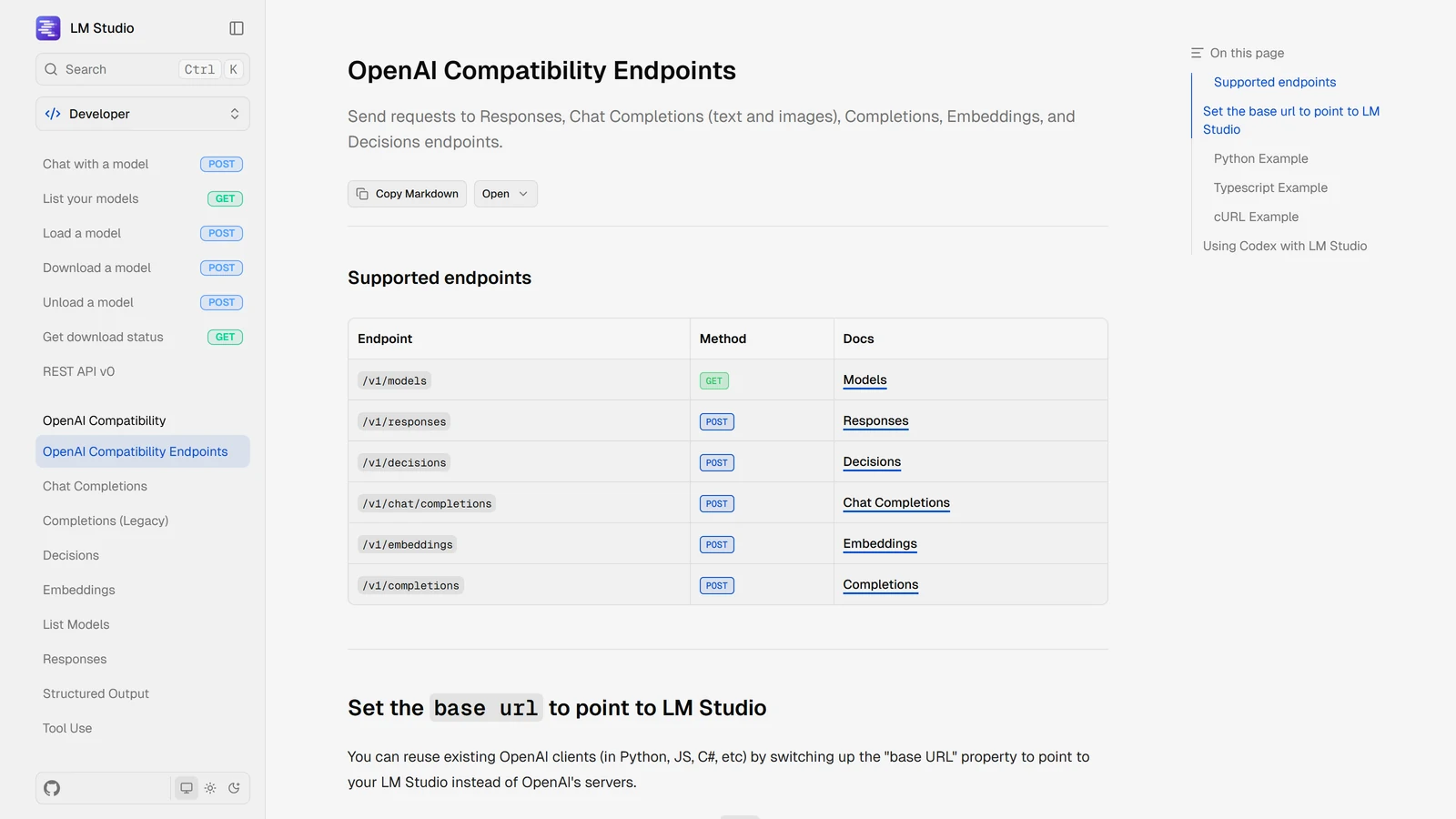
A local server. This is the part SillyTavern users want. LM Studio says it can serve local models on OpenAI-like endpoints, locally and across your network. Its OpenAI-compatibility page lists chat completions, the older completions endpoint, embeddings and a model list, and its examples use the address http://localhost:1234/v1. There is also a headless version called llmster for machines without a screen.
| LM Studio | |
|---|---|
| What it is | A desktop app that runs models locally |
| Platforms | macOS, Windows, Linux |
| Local server | Yes, OpenAI-compatible, examples at localhost:1234/v1 |
| Chat window | Yes, simple, with folders and document attachments |
| Roleplay tools | None described on the pages we read |
| What we did not check | Price and licence, speed, which models it handles best |
Open WebUI: The Self-Hosted Platform
Open WebUI’s home page calls it “a self-hosted AI platform that’s extensible, feature-rich, user-friendly, and built to run entirely offline”. It is a single interface for local and cloud models, and it supports Ollama and OpenAI-compatible APIs. A native desktop app is available, and on the main page it recommends installing through Docker or Python for production: a Docker container and then localhost:3000, or pip install open-webui and then localhost:8080.
Its provider guide says adding a provider is “as simple as entering a URL and API key” under Settings, then Admin, then Connections. It lists cloud providers such as OpenAI, Anthropic, DeepSeek, Mistral, Groq and OpenRouter, and local ones such as Ollama, llama.cpp and vLLM. LM Studio is covered in its OpenAI-compatible guide, which we did not read.
Its feature list is much larger than a chat window. It groups features into ten categories, and the ones relevant to us are:
| Category | Features it names |
|---|---|
| Chat and conversations | Multi-model chats, file and image uploads, web search, code execution, Memory, folders, tags, pins, voice, image generation |
| Knowledge and RAG | 13 vector databases, hybrid search, agentic retrieval, full context mode |
| Models and agents | Model presets (“system prompts, tools, knowledge, and parameters in one package”), model controls, version history |
| Extensibility | Tools and functions, MCP support, Prompts (slash-command templates) |
| Access and administration | Role-based access, single sign-on, API keys, analytics, “multi-user from day one” |
What its own feature list does not mention: character cards, personas, lorebooks, world info and roleplay. We searched the page for those terms and found none. That does not prove they cannot be built from model presets and prompts, but the project does not describe the tool as a roleplay front end, and it describes its Memory feature as remembering facts about you across conversations.
| Open WebUI | |
|---|---|
| What it is | A self-hosted AI platform with many features, aimed at individuals and teams |
| Connects to | Ollama, llama.cpp, vLLM, OpenAI-compatible servers, and cloud providers |
| Install | Docker, pip, or a desktop app |
| Roleplay tools | Not described in its feature list |
| Best known for | Accounts, access control, knowledge bases and tools |
SillyTavern: The Roleplay Front End
SillyTavern is a free, open-source front end built around roleplay. It does not run a model. It connects to one, either through a cloud service or through a local runner. Our SillyTavern guide covers what it does in detail: character cards, lorebooks (world info), personas, presets and group chats are the tools that make it a roleplay front end and not a general chat window.
Its documentation sorts connections into two kinds:
- Chat Completion sends the conversation as a list of messages between a user, an assistant and a system.
- Text Completion turns the whole prompt into one long string for the model to continue, and many models need an instruct template to respond like a chat model.
For a local runner, the documentation names KoboldCpp, Ollama and oobabooga (now called TextGen; see our connection guide), with llama.cpp and others. LM Studio is not in that list. In our earlier reading of SillyTavern’s code, LM Studio appeared once, in a comment, with no connection of its own, which is why it connects through a general OpenAI-compatible route instead. SillyTavern’s documentation describes a Custom (OpenAI-compatible) source where you type the URL and, if the service does not list models, the model ID yourself.
How They Connect
| Setup | How it works | Who it suits |
|---|---|---|
| LM Studio + SillyTavern | LM Studio runs the model and its server. SillyTavern connects to the server’s address | Someone who wants a roleplay front end and prefers a graphical app for model downloads |
| Ollama + SillyTavern | Ollama runs the model. SillyTavern has a named Ollama connection | The usual local setup. See the Ollama guide |
| KoboldCpp + SillyTavern | KoboldCpp runs the model. SillyTavern has a named connection | See the KoboldCpp guide |
| LM Studio + Open WebUI | LM Studio’s server is added as a provider | Someone who wants a general chat site and a graphical runner |
| Ollama + Open WebUI | Open WebUI’s docs link a dedicated Ollama guide | The most common Open WebUI setup |
| Cloud API + either | You paste an API key and pick a model | No runner needed, and no graphics card |
For LM Studio and SillyTavern, the pieces fit like this. LM Studio’s documentation says to point an OpenAI-compatible app at http://localhost:1234/v1, and SillyTavern’s Custom source takes a URL. We did not run that connection for this page, so we cannot tell you which choices on the SillyTavern side give the best result or whether LM Studio needs any setting changed. If it does not connect, our SillyTavern not working guide covers the common causes.
Which Should You Choose?
You want to roleplay on your own computer. Pick a runner and SillyTavern. If you like clicking in an app to find and load models, LM Studio is the runner to try. If you want the setup our guides walk through step by step, Ollama or KoboldCpp. KoboldCpp vs Ollama helps you decide between the two.
You want a general-purpose chat site and may add other people. Open WebUI is built for that, with accounts, roles and tools. Its own pages do not describe roleplay features, so check that it does what you need before you commit.
You already use Claude, ChatGPT, Gemini or DeepSeek through an API key. You need no runner. A front end is enough, and for roleplay that is SillyTavern. SillyTavern Claude and SillyTavern DeepSeek walk through the connections.
You do not want to install anything. None of the three fits. Look at the best AI RPG platforms, or at SillyTavern alternatives if what you want is a front end without the setup.
If you are weighing running a model locally against paying for a hosted one, local models for AI RPGs explains what the hardware decides.
What We Have Not Checked
| Claim | Status |
|---|---|
| LM Studio and SillyTavern working together | Not run. Based on the two projects’ own documentation |
| Open WebUI used for roleplay | Not run |
| Speed or quality of any model in LM Studio | Not tested |
| LM Studio’s price and licence | Not checked |
| Open WebUI’s licence | Not checked. Its page points to a separate licence page |
| Character cards or lorebooks in Open WebUI or LM Studio | Not found on the pages we read. We did not look beyond them |
Frequently Asked Questions
What is the difference between SillyTavern and LM Studio?
They do different jobs. LM Studio is a desktop app that downloads and runs AI models on your own computer and can serve them over a local OpenAI-compatible API. SillyTavern is a front end for roleplay that does not run a model itself and connects to one. Many people use the two together.
Can SillyTavern use LM Studio?
Yes, through SillyTavern’s Custom OpenAI-compatible connection, because LM Studio’s documentation says it serves OpenAI-like endpoints locally, with examples at localhost port 1234. LM Studio is not one of SillyTavern’s named connection types. We did not run this connection for this page.
Is Open WebUI good for roleplay?
Open WebUI’s own feature list does not mention character cards, personas, lorebooks, world info or roleplay. It lists model presets, memory, prompts and knowledge features. It can connect to Ollama and OpenAI-compatible servers, so it can chat with the same models, but it is described as a general self-hosted AI platform, not a roleplay tool.
Do I need Open WebUI if I use SillyTavern?
No. They are alternatives as front ends. Open WebUI is a general platform with multi-user accounts and many features for work and research. SillyTavern is built around roleplay. Choose one as your front end and connect it to a model server such as LM Studio, Ollama or KoboldCpp.
Is LM Studio free, and does it run offline?
Its documentation describes a desktop app for macOS, Windows and Linux that downloads model weights and runs them locally through llama.cpp, and through MLX on Apple Silicon. We did not check its licence or price on this page. Running a model locally means the text is generated on your own machine.
Which should I install first?
If you want to run a model on your own computer, start with a model runner such as LM Studio, Ollama or KoboldCpp. Then add a front end, SillyTavern for roleplay or Open WebUI for general chat. If you use a cloud model such as Claude or DeepSeek through an API key, you can skip the runner and use only a front end.
LM Studio’s and Open WebUI’s documentation and SillyTavern’s connection documentation were read on 30 October 2026. The SillyTavern connection list is from our earlier reading of version 1.19.0’s code and documentation. We did not install or run LM Studio or Open WebUI for this page. SillyTavern, LM Studio, Open WebUI, Ollama, KoboldCpp and llama.cpp are separate projects. Arcanum is not affiliated with any of them. Product names and trademarks are the property of their respective owners.