How to Use Janitor AI: Complete 2026 Setup Guide (Free + Bring Your Own Model)
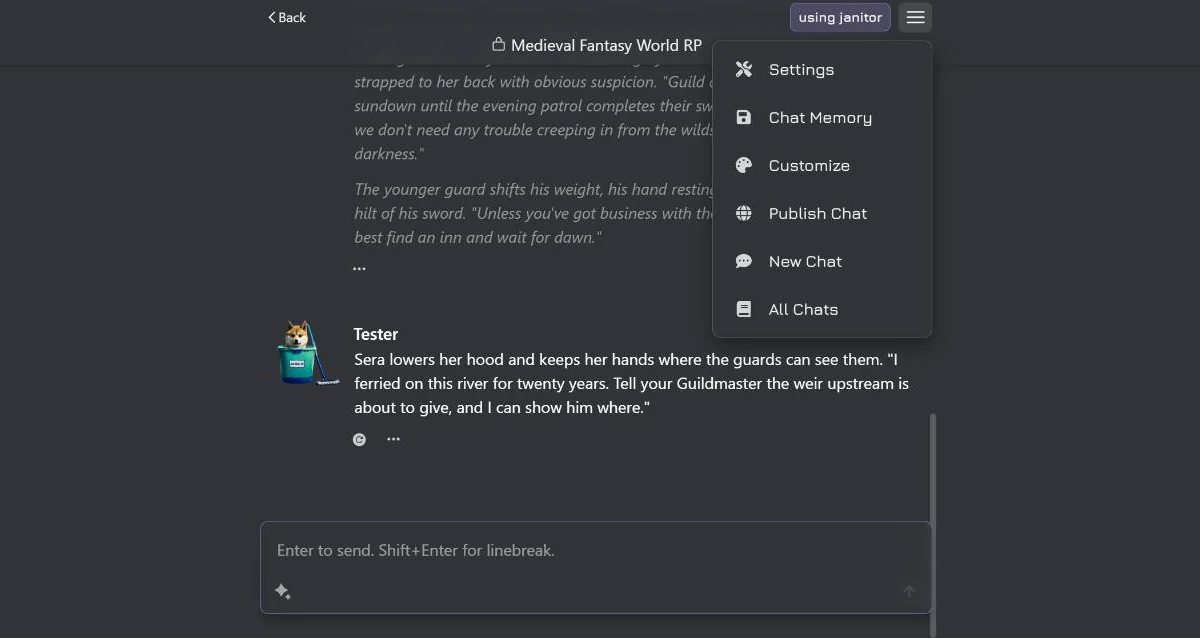
Janitor AI is one of the most-used AI character platforms on the internet, but it’s also one of the most confusing to set up well — because the version most people try first (the free built-in model) is the worst version of it. The platform’s real strength only shows up once you’ve connected your own model, and that’s the step that loses people. This guide walks the whole thing end to end: getting started, the one decision that defines your experience, the bring-your-own-model setup (including budget options like DeepSeek), fixing the errors everyone hits, and the safety question.
If you want the verdict on whether it’s worth your time at all, that’s in our full Janitor AI review. This guide assumes you’ve decided to use it and want to do it right.
What Janitor AI Is (Quickly)
Janitor AI is a character-chat platform: a huge, community-built library of character cards — personas with a personality, voice, and scenario — that you browse and have conversations with. You don’t create the AI; you pick a character and talk to it, and a language model generates the replies. The whole skill of using it well comes down to two things: choosing good characters, and choosing a good model to run them. This guide is mostly about the second.
Getting Started: Account and First Chat
The on-ramp is genuinely simple:
- Make a free account on the Janitor AI website. You’ll set a username and password — use a strong, unique password, since this is a third-party service (more on safety below).
- Browse the library. Characters surface by popularity, recency, and tags. Popular doesn’t reliably mean good — it often just means old — so look at the character’s description and example dialogue before committing, not the download count.
- Open a character and start chatting. By default you’ll be on the free, built-in Janitor LLM. This works with zero setup and is fine for getting a feel for the platform. It stays free — the optional janitor+ subscription is covered in Janitor AI pricing.
That’s the easy part. The next decision is the one that actually matters.
The Big Decision: Janitor LLM vs Bring Your Own Model
Janitor AI can run your conversations two ways, and the difference is night and day:
- Janitor LLM (free, built-in). No setup, no key, no cost. It’s serviceable for casual browsing, but on longer chats it produces shorter, flatter replies, follows character instructions less reliably, and loses nuance. If your first impression of Janitor AI was “this is kind of mediocre,” this is almost always why.
- Bring Your Own Model (BYOM). You connect your own AI through an API key — Claude, GPT, DeepSeek, or others. The same character card that felt generic on Janitor LLM can feel genuinely alive when a frontier or strong budget model is doing the writing: instructions hold longer, prose gains texture, and the conversation sustains complexity.
If you only take one thing from this guide: the platform is worth using because of BYOM. Setup takes about ten minutes, and it’s the difference between most people’s “meh” first impression and the experience the platform is actually capable of.
How to Connect Your Own Model (Step by Step)
The exact buttons shift as the site updates, but the shape of the process is always the same:
- Get an API key from a provider. This is an account with the company whose model you want to use — for example OpenAI (for GPT) or DeepSeek — where you generate a secret API key and add a small amount of credit. Your key is like a password; don’t share it. Our Janitor AI API key guide covers exactly where to get one, which provider to pick, and how to add it.
- Open the API settings in Janitor AI. Inside a chat (or in your account configuration) there’s an API/model configuration panel. This is where you tell Janitor AI to use your model instead of the free one.
- Choose the connection type. You’ll pick the kind of API you’re connecting — a direct provider option (like OpenAI) or a custom/proxy option for anything OpenAI-compatible (which is how you reach models like DeepSeek and aggregators like OpenRouter).
- Enter your details. Paste your API key, set the model name (the exact model ID from your provider), and — for the custom/proxy route — the base URL the provider gives you.
- Save and test. Send a message. If it replies, you’re running on your own model. If it errors, jump to the troubleshooting section below.
A note on cost: BYOM is pay-per-use, not a subscription. If you already pay for an API account, a normal conversation is typically a few cents — and with a budget model, a fraction of that. Which model to pick is its own decision; our best LLM for roleplay guide breaks down the trade-offs between quality, context length, and price.
Using DeepSeek (and Other Budget Models) via a Proxy
The most popular budget setup on Janitor AI is DeepSeek, because it’s surprisingly capable and extremely cheap per message — often pennies for a long session. It’s connected through the custom/proxy route rather than a one-click provider button:
- Get access to DeepSeek — either a DeepSeek API key directly, or through an aggregator like OpenRouter, which exposes DeepSeek (and many other models) behind a single key.
- In Janitor AI’s API settings, choose the custom/proxy/OpenAI-compatible option.
- Enter the provider’s base URL, paste your key, and set the model name to the DeepSeek model ID your provider lists.
- Save and send a test message.
That’s the whole trick behind the “Janitor AI proxy” and “Janitor AI DeepSeek” searches — a proxy is just an OpenAI-compatible endpoint you point Janitor AI at. For the exact base URLs, model names, and both connection routes, see the dedicated DeepSeek + Janitor AI setup guide; for why DeepSeek punches above its price for roleplay specifically, see DeepSeek for roleplay. Always get keys from the provider’s own official site, and check their current docs for the exact base URL and model IDs, since those are the parts that change.
Dialing In Your Settings
A couple of settings are worth a glance once you’re connected:
- Context size controls how much of the conversation the model “remembers” at once. Larger is better for long chats but costs more per message on BYOM. The underlying limit — and why every AI chat eventually forgets — is covered in why LLMs forget.
- Temperature controls creativity vs consistency. Higher is more surprising and more chaotic; lower is steadier and more on-character. If a character keeps going off the rails, nudge it down; if replies feel repetitive, nudge it up. Our guide to Janitor AI generation settings has the range of every slider and what to set for each model.
You don’t need to touch the rest to have a great experience. Good character + good model + sane settings is 95% of it.
Troubleshooting: When Janitor AI Isn’t Working
Most “Janitor AI not working” problems are API-setup problems, not platform outages. Work through these in order:
- Network error / no response on BYOM. Usually the connected model or proxy is the issue. Confirm your base URL and model name are exactly right, and that the model isn’t temporarily overloaded — wait a moment and retry.
- Invalid API key / authentication error. Re-copy the key (no stray spaces), and make sure it’s from the right provider account.
- Insufficient credit / quota errors. Your API account is out of funds — top it up. This is the most common silent failure.
- It works on Janitor LLM but not your model. That isolates it to your API config, not your internet or the platform — recheck the key, URL, and model name.
- Everything is slow or erroring at once. Occasionally it’s platform load; try again later before assuming your setup is broken.
The fastest diagnostic is switching to the free Janitor LLM: if that works and your model doesn’t, the problem is in your BYOM settings. For a dedicated, error-by-error walkthrough — network errors, invalid key, insufficient balance, outages, and more — see Janitor AI not working.
Is Janitor AI Safe?
A fair question, and the honest answer is “it’s a normal third-party online service — treat it like one.” Practically:
- Your account: use a strong, unique password. Standard hygiene for any site.
- Your data: on the free Janitor LLM, your messages pass through Janitor AI’s servers; with BYOM, they go to your API provider instead. Either way, don’t put real personal information (real name, address, financial details) into roleplay chats.
- Your API key is a credential — keep it private, and you can revoke and regenerate it from your provider at any time if you’re ever unsure.
- Content: the platform hosts mature, age-gated material alongside everything else; using it well is about choosing the characters you actually want. We cover the content landscape factually in the uncensored AI roleplay guide.
It isn’t malware and it isn’t a scam, but like any platform you don’t control, the safe posture is: real password, no real-life personal data, private API key. Our dedicated Is Janitor AI Safe? guide covers privacy, proxy risks, and clone sites in full.
Getting the Most Out of It
Once it’s set up, the experience lives and dies on character quality. A few ways to level up:
- Read cards before you commit. Specific personality fields and strong example dialogue predict a good session far better than the rating does — the same instinct that lets you spot a good card lets you write one.
- Write your own. When the library doesn’t have quite what you want, build it: generate a paste-ready card in a click, or learn the craft in how to write a character card. Cards you make work here and in other front-ends. For the Janitor-specific side — which fields actually reach the model, the visibility settings, and why bots talk for you — see how to make a Janitor AI bot.
- Give a recurring world somewhere to live. Janitor keeps world information in lorebooks, which sit under your profile as scripts rather than inside the character form — the reason most people never find them. Janitor AI lorebooks covers where they are and why entries fail to fire.
- Learn the chat’s own formatting. Asterisks, quotation marks, the color settings and the three commands behind the
/button are covered in Janitor AI text formatting and commands. - Know the alternatives. If Janitor AI’s setup or library frustrates you, SillyTavern offers deeper control and Character.AI offers an easier (if more filtered) on-ramp — both compared directly to Janitor AI.
And the honest ceiling: Janitor AI is a conversation platform, not a game. It has no persistent world state, mechanics, or stakes that carry across sessions. You can build a game on top of it anyway, and plenty of people do — how to run a real RPG on Janitor AI covers the card structure and the status-block technique that makes a campaign survive past turn thirty. But if what you actually want is a structured game — a world that remembers you and consequences that stack without you maintaining them by hand — that’s a different category, and which AI RPGs actually remember ranks the platforms built for it.
The Short Version
Make a free account, try a character on Janitor LLM to get the feel — then connect your own model, because that’s the real Janitor AI. Use DeepSeek through the proxy route if you want it great and cheap, keep your API key funded and private, and spend your energy on finding (or making) good characters. Do that and you’ll have skipped the mediocre first impression that makes most people quit too early.
Frequently Asked Questions
How do I use Janitor AI? Create a free account, pick a character from the library, and start chatting on the built-in Janitor LLM. For much better writing, switch to bring-your-own-model: open the API settings, choose your provider, paste an API key (and a proxy URL if you’re using one), enter the model name, save, and chat. The character library plus your chosen model is the whole experience.
Do I need an API key to use Janitor AI? No — Janitor AI works for free on its own Janitor LLM with no key. An API key is only needed if you want to bring your own model, like connecting Claude, GPT, or DeepSeek for higher-quality writing. That’s optional, but it’s the single biggest upgrade to the experience.
How do I use DeepSeek with Janitor AI? Get a DeepSeek API key (or access DeepSeek through an aggregator like OpenRouter), then in Janitor AI’s API settings choose the custom/proxy option, enter the provider’s base URL, paste your key, and set the model name to the DeepSeek model you want. DeepSeek is popular here because it’s capable and very cheap per message. Our dedicated DeepSeek + Janitor AI guide covers both connection routes step by step.
Why is Janitor AI not working or giving a network error? The most common causes are a problem with the model or proxy you connected, an invalid or out-of-credit API key, or temporary platform load. Check that your API key is valid and funded, confirm the proxy URL and model name are correct, try again after a moment if a model is overloaded, and test on the free Janitor LLM to see whether the issue is your connection or your API setup.
Is Janitor AI safe? Janitor AI is a third-party platform, so normal caution applies: use a strong unique password, don’t share personal information in chats, and remember that on the free model your messages pass through Janitor’s servers, while with bring-your-own-model they go to your API provider instead. The platform also hosts age-gated mature content; using it is about the characters you choose. It’s not malware, but treat it like any online service with your data. The Is Janitor AI Safe? guide covers privacy, proxy risks, and clone sites in full.
Is Janitor AI free? Yes. The core platform and its built-in Janitor LLM are free to use. The only cost appears if you choose to bring your own model, where you pay the per-message API fee of whatever provider you connect — often just cents per conversation, and pennies with a budget model like DeepSeek.