Chub AI Not Working? Find Which End of the Connection Broke (2026)
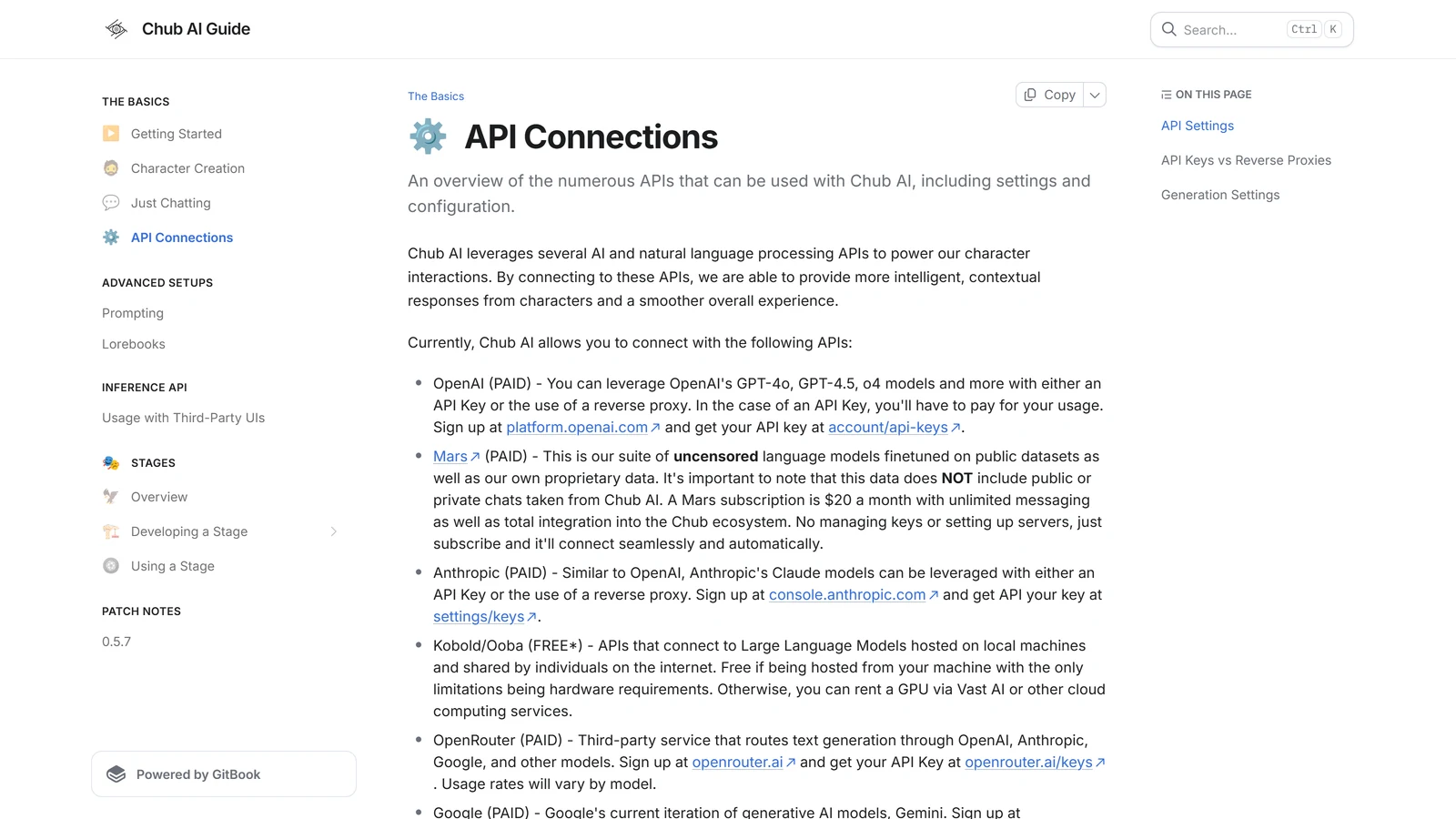
Chub AI is a front end: it builds a prompt from the character card, your chat and your settings, and hands it to a model somewhere else. That model is either Chub’s own, which you reach with a subscription or trial credits, or one you connect yourself with an API key. So every failure lives at one of three places: Chub’s site, Chub’s own models, or the provider at the far end of your key.
That split is the whole diagnostic, and almost nothing written about Chub errors uses it. It matters because Chub’s own status page watches the first two and cannot see the third, and because a large share of the error messages people search for are not Chub’s words at all. “User not found”, “provider returned error” and “empty response from API” are messages from the model provider, passed through unchanged.
Chub also has a few things no other platform in our directory has: payment that is crypto-only, free access that is a one-time allowance and not a daily one, and whole countries where the service is restricted or withdrawn. Each of those produces its own family of “not working” searches, and none of them is a fault.
Everything below was checked against Chub’s subscription page, terms, status page and documentation, and against the providers’ own error references, on 19 September 2026. One warning about sources before we start: Chub’s documentation site says each page was “last updated 1 year ago”, so where the docs and the live subscription page disagree, we follow the subscription page.
If nothing is broken and you only need the menus explained, see how to use Chub AI.
Start Here: Which End Broke?
Work down these four questions. Each one rules out a whole class of problem.
- Is chub.ai itself loading? If the site will not open, or you see Chub’s own “Unexpected Application Error” page, that is Chub’s end. Check chub.ai/status and wait.
- Are you chatting on Chub’s own model, or on your own key? Chub’s own model means the Soji subscription or trial credits. Your own key means OpenAI, Anthropic, Google, OpenRouter, NovelAI, a proxy, or a local model. This decides which half of this page applies to you.
- Does the error name a provider, a key, credits or a balance? Then it came from the far end. Chub is only the messenger, and the fix is in that provider’s dashboard, not in Chub.
- Did it work yesterday and stop today, with nothing changed on your side? Suspect a free resource that ran out: trial credits, a free model’s daily limit, or a free proxy that shut down. Those are the most common “it just stopped” causes on this platform.
If you still cannot place it, the error message table further down usually settles it in one line.
What Chub’s Status Page Can and Cannot Tell You
Chub has a first-party status page, linked as “System Status” at the foot of its subscription page. Many platforms have none, so this is worth knowing.
It tracks exactly three things, each with a row of uptime bars: API, Mobile, and Soji. The page labels them and nothing more, so this is our reading of what each covers:
- API is Chub’s own service: the site’s backend and its hosted inference.
- Mobile is the app.
- Soji is Chub’s flagship hosted model, the one the subscription sells.
What it does not track is everything at the far end of a key you brought. Chub cannot see whether OpenRouter is having a bad hour, whether your DeepSeek balance has run out, or whether the free proxy you found on a forum was switched off last night. An all-green status page plus a failing chat on your own key means the problem is almost certainly on the key’s side. Each of those services has its own status or activity page, and that is where to look next.
If the status page itself shows a red bar on API or Soji, stop troubleshooting. Nothing on your side will fix an outage.
”No Trial Credits” and “Chub AI Is No Longer Free”
This is one of the biggest search families around Chub, and it comes from a real change in how the platform works. The error most people meet is a message saying they have neither trial credits nor a subscription, and the question that follows is whether Chub stopped being free.
The answer is on Chub’s subscription page, under “Is there a free trial/option?”:
“One-time free trial credits amounting to a few dozen messages are sent out to new users regularly.”
Two words in that sentence do the work. One-time means the credits do not refill. A few dozen messages means that a single evening of roleplay can use them up. When they are gone, Chub’s own hosted models need the subscription. Nothing is broken, and no setting will bring the credits back.
What is still free is Chub as a front end. Chub’s documentation lists the connections it supports, and one of them is marked free: Kobold and Ooba, which connect to a model running on your own machine. They are “free if being hosted from your machine with the only limitations being hardware requirements”. Every other connection, including OpenAI, Anthropic, Google, OpenRouter and NovelAI, is marked “PAID” in Chub’s own list, because you pay the provider directly. If you want to run a model at home, our local models guide covers the hardware realistically.
OpenRouter’s free models have limits of their own, and hitting them looks exactly like Chub failing. Per OpenRouter’s limits documentation, free model variants (the ones whose name ends in :free) allow 20 requests per minute, and 50 requests per day if you have bought less than 10 credits in total, rising to 1,000 a day once you have bought 10 or more. The same page adds a trap: “If your account has a negative credit balance, you may see 402 errors, including for free models.” So a free model can refuse you because of money on an account you thought you were not using.
If the real question behind your search is what a night of AI roleplay costs across platforms, our cost breakdown puts Chub’s numbers next to everyone else’s.
Can’t Subscribe? Payment Is Crypto-Only
The second family is payment: “cannot subscribe”, “payment link not working”, “PayPal error”, “how to pay”. Most of it comes down to one fact that Chub states plainly on its subscription page, under the heading “Why Crypto-Only?”:
“The primary sources of censorship pressure for most websites are credit card companies and payment processors. By not using them, we are able to stay free of that pressure permanently.”
So a card form, a PayPal button or an app-store purchase is not something that is failing. It is not offered. The subscription is $20 a month, and the page lists what it buys: unlimited access to all its models including Soji, unlimited voice, unlimited multimedia generation, and early access to new models.
Three more details from the same page and the terms explain errors people hit after paying:
- “Unlimited” is per person, and two requests at once will fail. The subscription page defines it as “Unlimited for a single user, similar to Netflix. Concurrent requests from the same account will return a 429 error.” Two browser tabs generating at the same time, or a phone and a laptop both mid-reply, are enough to trigger it. Close the other tab.
- No refunds by default. Chub’s terms say it “does not offer refunds unless explicitly granted by the Company”.
- Cancelling does not cut you off at once. Per the terms, a cancelled subscription stays active “until the expiration of the subscription”, and you are not charged for the next month.
”Not Available in Your Country”: Region Restrictions
This family is growing, and it has a documented cause. Chub restricts either the whole service or part of its content depending on where you connect from.
Australia is the clearest case, and the source is the Australian regulator. On 16 October 2025, Australia’s eSafety Commissioner sent notices to four AI companion providers, Chub among them, asking how they were meeting the government’s Basic Online Safety Expectations. The Commissioner’s published findings say:
“When engaging service providers about specific expectations to protect children under the Basic Online Safety Expectations, one service provider, Chub AI, decided to geo-block, or withdraw, its service from Australia.”
So in Australia, “not available” is the service having been withdrawn. It is not an outage and it is not tied to your account.
Elsewhere, the restriction is usually partial. Users in several countries report a banner reading that, by law, some content is restricted in their country (the phrase is common enough to show up in search suggestions itself). In those regions the site works but part of the library is hidden. Chub does not publish a list of affected countries, and the lists that circulate online disagree with each other, so we are not reproducing any of them. Chub’s terms only state the general position: the service is not intended for use in any jurisdiction “where such distribution or use would be contrary to law or regulation”.
Two practical notes. First, if cards you remember have vanished, a regional content restriction is a likelier explanation than the cards having been deleted. Second, Arcanum does not give advice on getting around a geo-block. What is and is not permitted where you live is a question for you and your local law, not for a troubleshooting page.
The Error Messages, Decoded
This is the part most people land on. The left column is what you see; the middle column is where it most likely came from, which is often not Chub; the right column is what to do.
| What you see | Where it most likely comes from | What to do |
|---|---|---|
| Empty response from API / empty response received | The model returned no text | Raise the maximum response length first (see below), then try another model or provider |
| Provider returned error | OpenRouter, passing on a failure from the company actually running the model | Retry once; if it repeats, switch model or provider, or wait |
| User not found / 401 | OpenRouter does not recognise your key | Paste a fresh key into Secrets; remove old keys from other providers |
| Missing authentication header / error authenticating | No key, or the wrong kind of key, reached the provider | Check Secrets holds a key for the provider you selected |
| 402 / not enough credits / insufficient credits | The provider account’s balance | Top up the provider account; a negative balance can block even free models |
| 429 / rate limited | Too many requests: a free model’s limit, or two chats generating at once on one Chub subscription | Wait, or close the other tab or device |
| 502 | The model you chose is down, or returned something invalid | Pick another model and try later |
| 503 / no available provider | OpenRouter could find no provider matching your settings; on Chub’s own API, check the status page | Loosen provider restrictions, or wait |
| Cannot read properties of undefined (reading ‘delta’), undefined is not an object, error [object Object] | A browser-side error that almost always hides a provider error (see below) | Treat it as a provider error: check key, balance and model name |
| Failed to construct URL / The string did not match the expected pattern | A malformed address in a proxy or custom-endpoint field | Re-copy the URL whole, with https://, no spaces and nothing extra |
| Failed to fetch / network error | The browser could not reach the endpoint at all | Check the proxy is still alive, the URL is right, and chub.ai is up |
| Malformed request body | The provider rejected the shape of the request | Turn off settings the model may not support, such as assistant prefill |
Three of those deserve more than a line.
“Empty response from API” has a documented cause that retrying does not fix. OpenRouter’s error reference covers the case where no content is generated, and names two causes: the model warming up, and a situation where “A reasoning model spent the whole max_tokens budget on reasoning”. Its advice is direct: “Retrying does not help; raise max_tokens or cap reasoning instead.” Reasoning models think before they write, and if your response length setting is tuned for an older, non-reasoning model, the thinking can use up all of it. Raise the response length on the configuration screen before you try anything else. If that does not change anything, the other usual cause is a provider that refused the request and sent back nothing, which a different model or provider will get around.
The “reading ‘delta’” family is a JavaScript error, not a message anyone wrote. It is what a browser says when the page expected the next piece of a streamed reply and got something else. OpenRouter’s documentation explains how that can happen: when an error occurs after streaming has begun, “The HTTP status remains 200 OK, because the headers were sent before the error occurred”, and the error arrives inside the stream. Our reading is that in practice the “something else” is almost always a provider error that never got displayed properly. That is an inference, not something Chub documents, but it points to the fix: go through the same checklist as for a visible provider error. Is the key valid, is there balance, does the model name still exist? “Undefined is not an object” is Safari’s wording for the same kind of failure, and “[object Object]” is an error that was printed without being unpacked.
“The string did not match the expected pattern” is Safari’s wording for a malformed address. Chrome says “failed to construct URL” for the same mistake. Both almost always mean a proxy or endpoint field holds something that is not a complete web address: a missing https://, a trailing space, or half a URL copied from a message.
For the key-and-balance errors on OpenRouter in particular, and for how proxies fail, our Janitor AI troubleshooting page goes deeper. Janitor and Chub connect to the same providers, and their errors match almost line for line.
Free DeepSeek, Free Gemini and the Proxy That Stopped Working
A large share of “Chub AI not working” searches are really “the free model I was using through Chub stopped working”, and the change is at the provider.
The best-documented example is Chutes, which for a while was a popular source of free DeepSeek access for Chub, Janitor and SillyTavern users. On 4 August 2025 it replaced its free option with monthly subscription plans, and everyone who had set it up as a free backend lost access overnight. Chub had not changed anything, but for those users Chub stopped working. What Chutes costs now, and when each of its free options ended, is in our Chutes AI guide.
That is the general pattern with free proxies and free endpoints: they are someone else paying for your tokens, and that lasts only as long as they are willing to pay. Chub’s own documentation says so more bluntly than we would:
“Reverse proxies, on the other hand, are created by unauthorized third parties who gain access to your data and IP address. They may enable logging, leak your information, and use stolen API keys which you have no control over.”
and, on why they break:
“While reverse proxies are advertised as ‘free’ to use, the proxy owners are shouldering the costs and could shut down access at any time.”
So if a proxy stops answering, the most likely explanation is the one Chub gives. The stable fix is an official key from the model’s own provider, which you control and can see the usage of. Our guides to running DeepSeek for roleplay and to proxies on Janitor AI cover the current options, and both apply to Chub because the connection works the same way. If you are choosing which model to put behind Chub in the first place, the best model and API for Chub AI shows what Chub’s users run and what each costs, and our roleplay model comparison covers the model families in general.
When the Replies Are Wrong, Not Missing
Some of the most-searched failures are not errors at all. The model answers, but badly.
Repetitive, or dropping small words. Chub’s patch notes give the most useful single rule we have seen for this, written when it launched Soji:
“If it’s being repetitive, the repetition, presence, and/or frequency penalties are too low. If it’s dropping common words like ‘the’, ‘an’, and pronouns, those penalties are too high.”
Those penalties live on the configuration screen. The same notes point out that Chub now offers to load the most popular preset for a model when you switch to it, and recommend accepting, because different models want different settings. A preset from one model, carried over to another, is a common cause of a model that suddenly writes badly.
Responding in Chinese. This is a known habit of several open-weight model families trained on a lot of Chinese text, and it tends to appear with high temperature or aggressive penalty settings. Chub cannot fix it on the model’s behalf. Lower the temperature, reset the penalties to the model’s popular preset, and add a plain instruction to reply in English to the system prompt or post-history instructions.
Not finishing messages. A reply that stops mid-sentence has almost always hit the response length limit. Raise it, or use the continue option.
The bot not replying at all. If there is no error and no text, go back to the empty-response entry in the table above. It is the same failure without a label.
A card that behaves oddly on one model and fine on another is usually the card’s own instructions. Plenty of Chub cards are written with a specific model’s habits in mind. Chub’s character settings let you edit a card’s definitions for your own chats only, without touching the original, which is the quickest way to find out.
Features That Look Broken: Lorebooks, Memory, Voice and Images
These are working features with rules that are easy to miss.
Lorebooks not triggering. Chub’s lorebook documentation explains most of the reports we see:
- Character books need “Use V2 Spec” enabled. The docs state it plainly: “For character books, ‘Use V2 Spec.’ must be enabled.” This is why “how to enable v2 spec” sits among the top searches.
- Keywords are only looked for in recent messages. Scan depth sets how many messages from the end of the chat are checked. Set it to two and only your last message and the character’s last reply are scanned.
- Matching is whole-word. By default Chub matches keywords ignoring capitals but only as whole words, so “Apple” matches “apple” but not “Applebottom”.
- The token budget cuts entries off silently. “Once this amount is reached subsequent keywords will be ignored even if they are matching.” A lorebook with many entries can trigger correctly and still not arrive.
- Multi-character chats only pull the relevant book. Since patch 0.5.7, lorebooks “for the character/user not being prompted for will no longer be pulled in”.
Chat memory or “generate summary” doing nothing. Chub’s Chat Memory summarises only messages that have already fallen out of the model’s context, per its documentation: “we only summarize the messages that are out of context (aka messages that the AI no longer remembers).” Our reading is that in a short chat there is simply nothing old enough to summarise yet. You can also write the summary yourself, and it is sent to the model either way. How much a model can hold in the first place is the axis on which we judge every platform hardest, and the Chub AI review covers how it fares.
Voice and images. The subscription page lists “Unlimited access to voice” and “Unlimited access to multimedia generation” among what $20 buys, so on a free account expect these to be limited or missing rather than broken. The in-chat image command is called Imagine in Chub’s documentation.
Go Live. Chub’s documentation describes it as a subscriber-only beta for hosts: “Anyone can join, but for now only subscribers can host.”
The Site, the Login and the App
The homepage looks empty. It is not broken. Chub’s front door is now a sign-in screen with two links under it: “Search without Login” and “Legacy Site”, the second pointing to characterhub.org. If you only want to browse cards, the search link works without an account.
“Unexpected Application Error” / 404. This is Chub’s own error page for an address it does not recognise, often an old bookmark or a link to a page that has moved. Start again from the homepage.
Login. Chub’s documentation describes registration with an email, a public username and a password, and says the email is used “sparingly, only for password recovery and our subscription service”. A failing login is usually the password-recovery route, not a fault. If nothing arrives, check spam before anything else.
The app is missing from your store. The app has left and returned before: patch 0.5.7 opens its list of changes with “We are live on the iOS App Store again.” Availability also varies by region, for the reasons in the country section above. The web version works in a mobile browser, and the status page’s Mobile row tells you whether the app’s service is up.
“Is Chub AI dead?” / “shutting down”. Nothing in Chub’s own material suggests it. Its terms were updated on 15 May 2026, its status page is live, and its subscription page still sells the service and notes that the unlimited-use rule “has not been triggered by any subscriber since the launch of subscriptions in June 2023”. A burst of “is it dead” searches almost always lines up with a real outage or a regional change. Check the status page, then the country section above.
When It Works, but Still Disappoints
Some searches that start as “not working” are really “not good enough”, and troubleshooting cannot fix that.
Our Chub AI review comes to a clear split verdict: the card library is one of the best resources in AI roleplay, and the platform around it is one of the weakest. Hosted model quality varies, and the settings are hard for newcomers. If that is your experience, you are not doing it wrong.
You also do not have to leave the library behind to leave the platform. Chub exports a chat as a SillyTavern-compatible JSONL file, as a PNG or as text, and character cards use the open format shared across the space. So the realistic options are:
- Same cards, more control: SillyTavern, which runs the same cards with far more tooling. Our Chub AI vs SillyTavern comparison covers the move.
- Same kind of platform, more polish: Chub AI vs Janitor AI compares the two big card platforms directly.
- Something built for games rather than character chat: our Janitor AI alternatives list is organised by what you would be leaving for, and the same logic applies to Chub.
For everything else, work out which end broke before you change anything.
Frequently Asked Questions
Why is Chub AI not working? Chub AI is a front end, so the failure is almost always at one of three places: Chub’s own site, Chub’s own hosted models, or the outside provider at the far end of an API key you connected. The first two show up on Chub’s status page at chub.ai/status, which tracks its API, its mobile service and its Soji model. The third does not, because Chub cannot see inside OpenAI, Anthropic, Google, OpenRouter or a proxy. If the status page is all green and you are using your own key, the fault is almost certainly the key, the balance behind it, or the provider.
Why does Chub AI say I have no trial credits? Because the free hosted option is a one-time allowance, not a daily one. Chub’s subscription page says one-time free trial credits amounting to a few dozen messages are sent out to new users regularly. Once they are spent, chatting on Chub’s own models needs the $20 a month subscription. Chatting without paying Chub is still possible, but only by connecting your own model: a local one through Kobold or Ooba, or an outside API, which has its own costs and limits.
Why can’t I subscribe to Chub AI? Chub takes payment in cryptocurrency only, so a card or PayPal checkout will not work. Its subscription page gives the reason directly: payment processors are the main source of censorship pressure on most websites, and not using them keeps Chub free of that pressure. If you were expecting a card form, that is the whole explanation. Chub’s terms also say it does not offer refunds unless explicitly granted, and a cancelled subscription stays active until the end of the period already paid for.
Why does Chub AI say it is not available in my country? Chub restricts access or content by location. In Australia the whole service is withdrawn: the eSafety Commissioner reported that after it asked Chub how it was meeting Australia’s Basic Online Safety Expectations, Chub decided to geo-block, or withdraw, its service from Australia. Elsewhere users report a banner saying that by law some content is restricted in their country, which hides part of the library rather than blocking the site. Chub does not publish a list of affected countries, and the lists circulating online disagree with each other.
What does “empty response from API” mean on Chub AI? It means the model answered with nothing. The most common documented cause is a reasoning model spending its whole token allowance on thinking before it writes any reply; OpenRouter’s documentation says retrying does not help and the fix is to raise the maximum tokens. The other usual causes are a provider refusing the request and returning no text, or a free model that is overloaded. If it happens on every message, raise the response length first, then try a different model or provider.
What does “User not found” mean on Chub AI? It is OpenRouter’s message for a request that arrived with a key it does not recognise, so it is an authentication failure rather than anything about your Chub account. The usual causes are a key that was pasted incompletely, a key that has been deleted or regenerated on OpenRouter, or an old key from a different provider still saved in Chub’s Secrets. Paste a fresh key from your OpenRouter dashboard into Secrets and make sure the model you picked is an OpenRouter model.
Checked against Chub’s subscription page, terms of service, status page and documentation, OpenRouter’s error and limits documentation, and the eSafety Commissioner’s published findings, on 19 September 2026. Chub AI is a third-party platform; Arcanum is an independent publication with no affiliation to it or to any provider named here, and all names are used nominatively. Prices, limits and regional availability are accurate as of that date and change often.