AI Dungeon Not Working? Every Fix for 2026, and the Three Faults That Look Identical
Most “AI Dungeon not working” reports are not bugs. They are one of three different faults that produce the same symptom — a feature working exactly as documented inside a context window too small to hold it, a feature that was renamed or moved somewhere you haven’t looked, or a genuine outage on one model rather than the whole site.
Telling them apart takes about a minute, and it decides whether there is anything for you to fix at all. Everything below is checked against Latitude’s own documentation on 16 September 2026, with the arithmetic worked out where their docs publish the rules but not the consequences.
Start Here: The Sixty-Second Diagnostic
Four questions, in this order. The first one that gets a “yes” is your answer.
- Is the service actually down? Latitude runs an automatically-updating status page at
status.latitude.io, and it covers AI Dungeon and Voyage separately. Read it properly: a green dot means healthy, yellow means degraded but functional, red means non-functional. Each system also shows an average response time in milliseconds, compared against its own normal — which matters, because AI Dungeon’s help centre is explicit that “8000ms might be unusually high for one, but rather typical for another.” A slow model is not necessarily a broken one. - Does it still happen on a different model? Models are listed separately on the status page for a reason. If one model stalls and another works, nothing about your account, browser or story is wrong.
- Does it still happen in a different browser, or on your phone? If the answer is no, skip to the support tiers below — the fault may be your configuration’s position in Latitude’s own priority list rather than anything you can fix.
- Did the feature exist a few months ago and now doesn’t? Several did not break. They were renamed, deprecated, or turned into a slash command. That list is below too — Worlds, for instance, is now Character Creator, covered in how to create an AI Dungeon scenario.
”It Isn’t Generating Anything”
If the status page is green and other models work, the usual cause is the one nobody checks: you may not be playing on the production site at all.
AI Dungeon runs four environments — Internal, Alpha, Beta and Production — and two of them are open to any player who wanders in. alpha.aidungeon.com gets features straight from internal development, and Latitude’s own description is blunt: “The Alpha environment is usually very unstable, so please expect (and report) issues when playing on it.” Beta is more stable but is, by their description, the first time new code meets real traffic volume.
The trap is that this is sticky on mobile. In the iOS and Android apps, the environment is set under your profile picture in Account Settings, under Release Channel — and it stays where you left it. A player who switched to Beta months ago to try a feature is still on Beta today, being served code that is explicitly there to be tested.
The fix: open Account Settings, check Release Channel, and set it back to Production. On the web, just make sure you are on play.aidungeon.com rather than a beta or alpha subdomain.
Worth noting the irony: Latitude’s official troubleshooting advice for a broken app includes “Try going to the beta site, beta.aidungeon.com.” That is reasonable advice when production is having a bad day, and it is exactly how people end up stranded on a test channel and confused three weeks later. If you take that advice, remember to take it back.
”My Story Cards Aren’t Working”
This is the most-reported AI Dungeon fault that isn’t a fault. Story Cards are almost always working — there is simply nowhere to put them.
Latitude publishes the rules governing what gets into the prompt, and they are unusually detailed. Context is divided into Required elements (AI Instructions, Plot Essentials, Story Summary, Author’s Note, Front Memory, and your last action) and Dynamic elements (Story Cards, Memory Bank, and your story history). When the Required block overflows, it is capped: “If the sum of all tokens included in Required Elements exceeds 70% of the context size, we include the most important sections first, then trim or exclude other sections to fit within the 70% token limit.”
Everything Dynamic then splits what is left — roughly 50% to history, 25% to the Memory Bank, and about 25% to Story Cards.
That is the whole problem, and it only becomes visible when you do the arithmetic. Context on AI Dungeon is granted per model, not per plan, and several free models run at 2k or 4k. Here is what your Story Cards are actually competing for, assuming a Required block heavy enough to hit that 70% ceiling:
| Your model’s context | Left for Dynamic | Story Cards get (~25%) | Trigger window |
|---|---|---|---|
| 2k (Hearthfire, Harbinger, Madness on free) | ~600 tokens | ~150 tokens | 4 actions |
| 4k (Muse, Wayfarer Small 2, Fable on free) | ~1,200 tokens | ~300 tokens | 4 actions |
| 8k (most models on Journey) | ~2,400 tokens | ~600 tokens | 6 actions |
| 16k (most models on Legend) | ~4,800 tokens | ~1,200 tokens | 12 actions |
| 32k (Mythic and Ultimate) | ~9,600 tokens | ~2,400 tokens | 24 actions |
Our arithmetic, applied to Latitude’s published allocation rules. The 70% figure is a ceiling that bites when your Required elements are large, so a player with an empty Plot tab has more room than this; a player who has carefully filled in Instructions, Plot Essentials and an Author’s Note has exactly this.
The last column is the part nobody writes down. Story Cards fire on keyword triggers found in recent actions, and how far back “recent” reaches is itself a function of budget: “we consider a minimum of 4 actions when looking at triggers. However, if more than 500 tokens are available for Story Cards, then we take the number of available tokens and divide it by 100.”
So on a free model you are stuck at the four-action floor, because 150 or 300 tokens never clears the 500-token threshold. A card whose keyword last appeared five turns ago cannot fire. On Mythic or Ultimate the same card is checked against a window six times longer. Players describe this as story cards working on one account and not another, which is precisely what it is.
The two fixes that work immediately:
- Move anything that must never drop out of Story Cards and into Plot Essentials, which is a Required element sent on every single output. Story Cards are for material that is only relevant sometimes; Plot Essentials is for what is always true.
- Open the Context Viewer. Latitude’s settings documentation notes you can see how many tokens each element takes up there. It converts this entire section from guesswork into a number. Our own context budget calculator does the same job for models outside AI Dungeon.
Budget is only one of the three reasons a card fails, though, and the other two are in how the card itself is written — the AI never sees the Name field, and triggers are sensitive to spaces in ways that quietly stop them matching. Our guide to AI Dungeon Story Cards covers writing, triggers, limits and import/export in full.
”It Doesn’t Remember Anything”
Partly the same cause, and partly two features behaving as designed in ways that read as failure.
The Memory Bank is capped by tier. It is described as “a complex embedding system which automatically makes little ‘snapshot’ memories of events in your story” — and then: “Your subscription tier determines how many memories you can keep saved per adventure.” Memory that stops accumulating partway through a long campaign is a limit, not a bug.
Auto Summarization overwrites your work. This one genuinely surprises people. Auto Summarization fills in the Story Summary component for you and keeps updating it as you play — and the documentation warns plainly that “if you have the Auto Summarization feature on, it will update itself over time and possibly erase or change what you wrote.” If you hand-wrote a careful summary and came back to find it altered, nothing ate it. The feature did its job.
Either keep Auto Summarization on and let it own that box, or turn it off and maintain the summary yourself. Doing both is how you lose text. Our guide to summarising a long campaign covers what a good hand-written one contains.
Beyond that, the underlying limit is the genre’s, not AI Dungeon’s. Latitude’s own answer to why the AI forgets is refreshingly direct — once material falls out of context, “it’s just making it up as best it can” — which is the same mechanism behind campaigns falling apart around turn 50 everywhere else.
”It Ignores My AI Instructions”
There is a documented reason this happens more on small contexts, and it is not that the model is disobedient.
When the Required block overflows its 70% ceiling, the sections are kept in a published priority order: Author’s Note, then Plot Essentials, then AI Instructions, then Story Summary. Anything that doesn’t fit is trimmed from the end or dropped entirely.
AI Instructions is third in that queue. On a 2k model with a full Plot tab, your instructions can be trimmed mid-sentence or excluded from the prompt altogether — at which point the AI is not ignoring them, it never received them. The same mechanism explains a Story Summary that seems to have no effect: it is last in line.
The fix is triage, not rewriting. Shorten the higher-priority components so the lower ones survive, or move to a model with a larger allocation. And if you are trying to force third-person narration or avoid particular words, AI Instructions is now the only lever for it — the old Banned Words feature has been deprecated, with Latitude citing “issues with token conversion and logit bias not being supported on many modern models.” For what to write in each box and how much room each one has, see AI Instructions, Plot Essentials and Author’s Note.
”It Keeps Repeating Itself”
Latitude’s own remedy is more aggressive than most players expect, and it works: undo repeatedly until you are before the very first instance of repetition, rather than trying to write your way out of it. Repetition feeds on itself, because every repeated line in the context is another example of what the story looks like.
Their guidance is worth following in order:
- Undo or manually delete every instance of the repetition, back past the first one.
- Type something deliberately more varied and more complex than your last few inputs — your own repetitiveness is a documented cause of the model’s.
- Check the Memory Bank and Author’s Note for the culprit. A repetitive phrase sitting in an always-included field is reproduced on every single turn, and it is easy to overlook.
Only then touch the advanced settings, and note that Latitude warns about them directly. Frequency and presence penalties look like the obvious fix and misfire in a specific way: turn them up too far in a story about a dog and, once the model has used “companion” and “hound” and “animal,” it “will pretty soon have used up all the euphemisms and will stop trying to talk about dogs at all.”
We have a fuller treatment of the underlying loop and how to break it in why AI roleplay keeps repeating itself.
”Rewind / Undo to Here Is Missing”
It isn’t missing. It was rebuilt as a slash command, and the UI element it used to live in was deleted.
“Undo to Here” is now “Erase to Here.” There is no menu item: you select the text at the point you want to erase back to, clear the text area, and type /erase-to-here or /eth in its place. Confirm, and every action and output below that point is erased — and the erase itself can be undone and redone like any other action.
The reason is performance. The old ”…” menu on each input and output was, in Latitude’s account, causing performance problems in the Phoenix rewrite, so the whole menu went and its contents had to be rehoused or retired. Undo to Here was initially retired, then brought back in this form after player feedback.
This is the shape of several “AI Dungeon X not working” searches, so here is the short list of things that moved rather than broke:
| What you’re looking for | Where it went |
|---|---|
| Undo to Here | /erase-to-here or /eth slash command |
| World Info | Renamed to Story Cards |
| Banned Words | Deprecated; use AI Instructions |
| Story Summary (auto) | Inside the Memory System, as Auto Summarization |
| Username login | Removed; log in with your email address |
”Third Person Isn’t Working”
Because it probably isn’t the feature you want. Third Person is a Plot Component built for multiplayer, and what it does is change attribution: when it is enabled, every player is prompted to enter a character name, and that name replaces “You” in their Do and Say actions.
It is not a narration-style switch. If what you want is the AI to write your story in third person, the documented lever is AI Instructions, which can “dictate the first, second, or third-person point of view.” Two different features, one word in common.
”The App Isn’t Working” or “It Won’t Load in Firefox”
Latitude’s official checklist is short and worth doing first: update the app, uninstall and reinstall it, clear your browser cache, try another browser or device, and try beta.aidungeon.com — remembering to switch back afterwards.
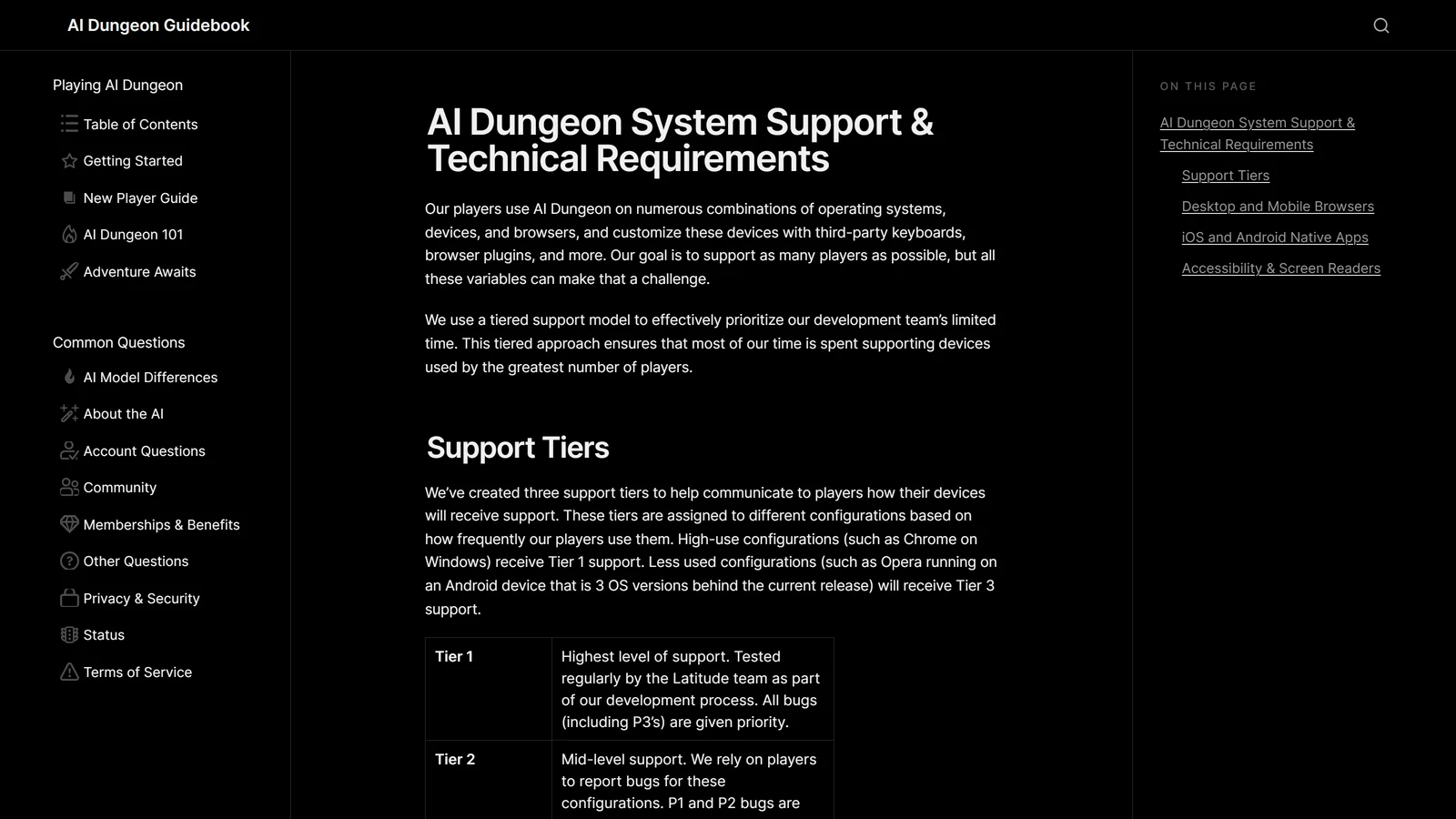
But if the problem follows a particular browser, there is a published reason, and it is one most players never see. Latitude operates a three-tier support model based on how many players use each configuration:
- Tier 1 — Desktop Chrome, mobile Chrome, mobile Safari, and the latest iOS and Android apps. Tested regularly in-house; all bugs prioritised, down to cosmetic ones.
- Tier 2 — Desktop Safari, Edge, Opera, tablets, and iPadOS. Bug reports come from players; serious bugs rank below Tier 1’s.
- Tier 3 — Firefox, all Linux browsers, YaBrowser, and everything else. “Players may encounter more bugs and UI issues on these device configurations,” and only the most severe bugs on the more common of them get prioritised.
Firefox sitting in the bottom tier alongside YaBrowser is the single most useful fact in this section. If AI Dungeon is unreliable for you in Firefox and fine in Chrome, that is not a coincidence you can configure your way out of — it is Latitude’s published prioritisation, and the practical fix is to play in a Tier 1 browser.
Screen readers, for what it’s worth, are treated better than their usage share would suggest: JAWS, NVDA and VoiceOver are all Tier 2, which Latitude attributes to a strong representation of players who use them.
”My Subscription Isn’t Working”
Almost always a store problem rather than an account problem. AI Dungeon sells through the Google Play Store, the Apple App Store and Stripe, and whichever one you bought through is the one that has to manage it — Stripe subscriptions are managed at play.aidungeon.com/pricing, and app-store subscriptions have to go through Google or Apple.
If the app still shows you as “Wanderer” after paying, there is a specific sequence: tap your profile picture to open settings, tap Restore Subscription, and wait for it to finish. If it still says Wanderer, sign out and back in to force the change through. Only after that is it worth emailing [email protected].
Two adjacent login problems have the same flavour. Username login no longer exists — current authentication requires the email address on the account. And if a Google or Apple sign-in has stopped working, the documented route is to use Forgot Password to set a password against the account’s email address rather than trying to repair the third-party link.
”Multiplayer Isn’t Working”
Three documented behaviours account for most multiplayer confusion.
The host’s settings are everyone’s settings. The host’s AI model and model settings apply to all players in the game, which means a premium host lifts the whole table — and a free host caps it, no matter what anyone else is paying. If you want everyone on a premium model, the subscriber has to be the one who creates the adventure.
Joining is an eight-digit code, and it is not a secret you can revoke. The host generates it via Invite Players in the game menu, and anyone holding the code can join. Kick removes a player temporarily; Block stops them rejoining; only the host can do either.
Leave and Exit Game are different. Leave removes you from the multiplayer game and you need the code again to return. Exit Game just sends you to the home screen while keeping you in the session. Players who “lost” a multiplayer adventure have usually hit the first one.
There is also no hard player cap. The “(1/4)” next to Invite Players is, in Latitude’s words, “simply a suggestion.” Setting a table up properly — Third Person, a party roster in Plot Essentials, and why a group forgets four times as fast as one player — is covered in our AI Dungeon multiplayer guide. If you want the fuller picture of how AI Dungeon’s multiplayer compares to platforms built for it, we have compared every multiplayer AI DM.
”The Image Generator Isn’t Working”
Check three things in order.
Is an image source selected? Images come from the See mode, and the model behind it has to be chosen first: settings sidebar, Gameplay, AI Models tab, Image Generator accordion.
Do you have credits? Generating an image “usually requires spending Credits, unless your subscription tier or image model says otherwise.” An image budget that has quietly run out looks exactly like a broken button.
Are you retrying into the same wall? Retry Image costs the same as the original generation every time. Latitude’s own suggestion is to use Edit Prompt and add detail before retrying rather than paying repeatedly for the same prompt.
One genuinely useful detail that is easy to miss: leaving the See prompt blank is not a mistake. Do that and the feature builds a prompt automatically from your recent actions, story cards and plot essentials. For how AI Dungeon’s approach compares across the field, see our audit of which AI RPGs actually show you anything.
When It Really Is a Bug
Sometimes it is. Latitude triages by severity — P1 prevents a critical function, P2 limits core functionality but has a workaround, P3 affects few players or is cosmetic — and where your report lands in that queue depends heavily on how you file it.
Bugs go to the bugs-feature-request channel on Discord, not to a support inbox, unless the report involves account details or mature content, in which case [email protected] is the right address. Their stated expectations for a report worth acting on: search for an existing post first and comment on it if it exists, reproduce the bug across different devices and different stories, include a screen recording, name the device and platform, and link the story you tested in.
That list is worth following because it is the difference between a report the team can reproduce and one they cannot.
What No Fix Will Change
Two of the problems on this page have real fixes, and the biggest one does not.
AI Dungeon keeps the state of your world in the running conversation rather than in a database. Every technique above — Plot Essentials, Story Cards, the Memory Bank, summarisation — is a way of spending a finite context budget more wisely. None of them creates a store that isn’t there, and the budget is smaller than most players assume until they see the numbers.
That is the architecture, it is what our full review marks it down on, and it is also precisely what Latitude built Voyage to answer. If you have reached the point where troubleshooting feels like a second job, the honest options are a platform that stores state somewhere other than the prompt — our comparison matrix sorts every scored platform by memory — or one of the alternatives that fix the specific thing that broke for you. Either way, take your campaign with you rather than starting over.
One exception worth knowing before you blame the model: on a scenario that uses scripts, two of AI Dungeon’s error messages are documented script failures rather than AI failures — including “Sorry, the AI is stumped”, which is what a context script returning the wrong value looks like from the player’s side. AI Dungeon scripting lists which message maps to which mistake.
For everything else, the sixty-second diagnostic at the top of this page will usually tell you which of the three faults you actually have.
Frequently Asked Questions
Why is AI Dungeon not working? Check three things in order, because they look identical and have different fixes. First, the status page at status.latitude.io, which reports AI Dungeon and Voyage separately and shows each system as green, yellow or red with an average response time. Second, whether the failure follows one AI model, which points at that model rather than the platform. Third, whether you are on the Alpha or Beta release channel, which is set in Account Settings and stays where you left it. If all three are clear, the problem is usually a feature working as documented rather than an outage.
Why are my AI Dungeon story cards not working? Usually because there is no room for them. Story Cards are a Dynamic context element and receive roughly 25 percent of whatever is left after the Required elements take their share, which can be capped at 70 percent of your total context. On a free model running at 2k or 4k tokens that leaves roughly 150 to 300 tokens for cards. It also holds the trigger window at its four-action minimum, because the window only widens once more than 500 tokens are available for cards. Move anything that must always be present into Plot Essentials instead, shorten your cards, and use the Context Viewer to see what each element actually costs.
Where did Undo to Here go in AI Dungeon? It was rebuilt as a slash command called Erase to Here. Select the text at the point you want to erase back to, clear the text area, and type /erase-to-here or /eth in its place. Everything below that point is erased, and the erase can itself be undone and redone. The old menu it used to live in was removed during the Phoenix rewrite because it was causing performance problems.
Why did AI Dungeon change my story summary? Because Auto Summarization is switched on. It creates and maintains the Story Summary component for you and keeps updating it as you play, and Latitude’s documentation warns that it can erase or change text you wrote yourself. Either leave it on and let it own that field, or turn it off and maintain the summary by hand. Running both at once is how hand-written summaries disappear.
Why does AI Dungeon not work properly in Firefox? Because Firefox is in Latitude’s lowest support tier. Their published support model puts desktop and mobile Chrome, mobile Safari and the current iOS and Android apps in Tier 1, with Safari on Mac, Edge, Opera and tablets in Tier 2, and Firefox, all Linux browsers and YaBrowser in Tier 3, where players are told they may encounter more bugs and interface issues. If it works in Chrome and fails in Firefox, that is the documented reason, and playing in a Tier 1 browser is the practical fix.
My AI Dungeon subscription is not working. What do I do? Manage it wherever you bought it, because subscriptions are sold through Google Play, the Apple App Store and Stripe, and each one has to be handled on its own platform. Stripe plans are managed at play.aidungeon.com/pricing. If the app still shows Wanderer after payment, open your profile settings, use the Restore Subscription button, and if that does not clear it, sign out and back in. If the tier still has not applied after that, contact [email protected].
Every detail above was checked against Latitude’s published documentation on 16 September 2026. Features, prices and support tiers are theirs to change. AI Dungeon and Voyage are products of Latitude; Arcanum is an independent publication and is not affiliated with, endorsed by, or sponsored by Latitude, and references to its products are nominative.