AI Dungeon Scripting (2026): The Complete Guide to Scripts, Hooks and the Context Budget
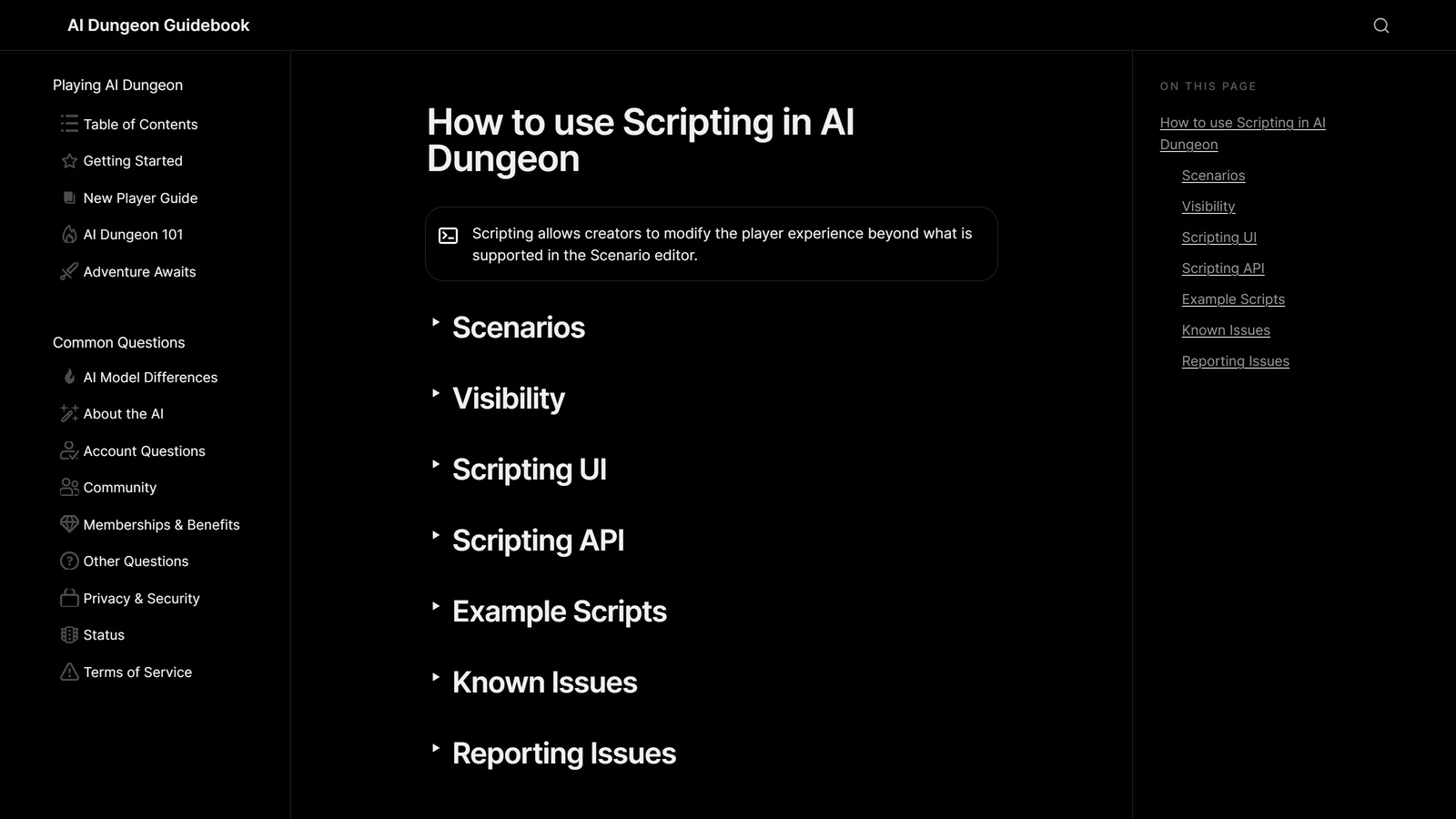
A script in AI Dungeon is your own code running at three fixed points in the game loop: when you submit an action, when the context is assembled and sent to the model, and when the model’s reply comes back. Latitude’s own framing is that scripting lets creators “modify the player experience beyond what is supported in the Scenario editor”.
That undersells what is actually on offer, and this guide is mostly about the part that gets undersold.
In two earlier pieces in this series — on story cards and on scenario creation — the useful findings both came from the same move: Latitude publishes its context allocation rules, publishes them in percentages, and never does the arithmetic for you. Scripting is the one place where you do not have to do the arithmetic, because the game hands you the numbers directly. The context hook receives the maximum size of the context and the length of the memory section as actual values, every turn.
That is a genuinely unusual amount of access for a hosted AI RPG to give away, and almost nobody uses it.
Everything below is checked against Latitude’s scripting documentation on 18 September 2026.
You Do Not Need to Write Code
Start here, because most people searching for this do not want to program.
Latitude’s own guidance is that you “don’t need to be a programmer or know a single line of code” to use scripts, because the community publishes ready-made ones and installing them is copy-and-paste. The featured scripts in AI Dungeon’s guidebook cover most of what people want scripting for:
| Script | Author | What it does |
|---|---|---|
| Auto-Cards | LewdLeah | Writes and updates plot-relevant story cards automatically during play, aimed at what its author calls “the object permanence problem” |
| Inner Self | LewdLeah | Gives named NPCs memory, goals, secrets and self-reflection, with an interface to view or edit any NPC’s “brain” in real time |
| Hashtag DnD | raeleus | Inventory, loot, shops, hit points, turn-based combat, dice syntax, an unlimited party with individual stats, and minigames |
| Story Arc Engine | Yi1i1i | Generates a high-level plot outline and feeds it back into context periodically to keep a long story structured |
Two of these are worth a note before you install them. Auto-Cards is open source and explicitly reusable — its author gives “full permission to use, copy, or modify” it, including inside published scenarios, and it is designed to work on free accounts as well as paid ones. Story Arc Engine spends a turn when it builds an arc: the documentation describes a warning that the next turn will be used for generation, then a pause message while it runs. That is a real cost on a metered account and it is easy to mistake for a fault.
There are many more than four. Latitude points creators at its Discord’s Script Library forum for the rest.
Where Scripts Live, and the Restriction That Catches People
Scripts attach to a scenario, not to an adventure. Every adventure started from that scenario runs the same scripts, but each has its own separate game state. That is why a script someone recommended does nothing in your existing adventure: you have to start a new adventure from the scenario that carries it.
Then there is the restriction that surprises everyone:
Only Simple Start and Character Creator Scenarios can have scripts. Multiple Choice Scenarios can’t have scripts, but can have options that have scripts. Scripts in options for Multiple Choice Scenarios are independent.
So a branching scenario cannot carry one script across its branches. Each option carries its own, independently. This lines up exactly with the inheritance rule we covered in the scenario creation guide: in a multiple choice scenario the AI receives nothing from any branch except the one chosen, and story cards and scripting inherit from the base level only while the branch’s own fields are empty. Adding a script to a branch overrides rather than adds.
Two more facts about where scripts live: only the creator of a scenario can see its scripts, and scripts on published scenarios “may be reviewed as part of moderation” against the community guidelines.
The Four Tabs
Open a Simple Start or Character Creator scenario, go to the bottom of the Details tab, and open scripting. On the left you get four scripts:
- Library — shared functions and values available to the other three
- Input — runs on the
onInputhook - Context — runs on the
onModelContexthook - Output — runs on the
onOutputhook
For every script except Library, the last line must always be modifier(text). This is the single most common installation failure. Community scripts publish blocks that already end correctly, and people paste over that line, or paste one block into two tabs, and then wonder why nothing happens. An unsaved change shows as a white dot next to the script name, which is the other thing people miss.
The Three Hooks, and What Each One Can Reach
Each hook gets text, but text means something different in each.
onInput — text is what you typed. The hook can rewrite it before it is used to build the context. This is where command parsers live: the documented example matches a player typing something like :status or :walk north, sets state, and stops the turn before the AI is ever called.
onModelContext — text is the entire assembled context that would otherwise go to the model. This is the powerful one, and the next section is about it.
onOutput — text is the model’s reply before you see it. Useful for cleaning, formatting, or reacting to what the AI just did.
All three also receive:
history— recent actions, each with atypeofstart,continue,do,say,storyorsee. That type field is more useful than it looks: it is how a script can treat asaydifferently from ado.storyCards— every card in the adventure, each withid,keys,entryandtype. (The field used to be calledworldInfo; the old name still works.)state— a persistent object that survives across turns and is yours to structure however you like.info—actionCountandcharacterNameseverywhere, plus two fields that only appear on the context hook.
The Part Nobody Writes Down: The Context Budget, as a Number
Here is the whole reason a serious creator should care about scripting.
On the onModelContext hook, info carries:
maxChars— the estimated maximum number of characters that can fit in the model contextmemoryLength— how many characters of that context came from memory
Those two numbers are the budget. Everything the rest of this cluster had to reconstruct by arithmetic — that required elements are capped at 70% of context, that the remainder splits roughly half to history and a quarter each to the Memory Bank and story cards, that a free 2k model leaves story cards a fraction of what a top-tier model does — is handed to a context script directly, per turn, for the model the player is actually on.
The practical consequence is that a script can adapt instead of guessing. text.slice(0, info.memoryLength) is the memory section; everything after it is the history. Latitude’s own worked examples do exactly this, and both end the same way:
// Make sure the new context isn't too long, or it will get truncated by the server.
context = context.slice(-(info.maxChars - info.memoryLength))
That comment is the most important line in the documentation. The server truncates whatever you return to maxChars — it does not warn you, and it does not truncate the part you would have chosen. A context script that adds material without trimming to fit silently pushes the oldest history out of the window, which presents to the player as the AI suddenly forgetting the last few turns. It is a self-inflicted version of the failure the whole category is judged on.
This is also the honest answer to a question the story cards guide could only answer with estimates: on a small context, does a card fire? A script can read maxChars and find out.
The Memory Object, and Its Three Traps
state.memory gives a script access to the same three slots the UI exposes:
context— added at the beginning, before the history (the UI’s Memory)authorsNote— added near the end, immediately before the most recent AI responsefrontMemory— added at the very end, after the most recent player input
Three documented behaviours here regularly waste people’s time:
- Setting these in a script takes precedence over the UI, but does not update it. The UI still shows whatever the player typed; the model sees what the script set. Nothing on screen reveals the disagreement.
- You cannot clear them from a script. An empty string is treated as “not set”, which makes the UI value apply again. There is no scripted way to blank the memory.
- Memory changes made in
onOutputdo nothing until the next player action. If you update memory in reaction to what the AI just wrote, expect it to take effect one turn later than you intended.
Story Cards From a Script
Three functions, and each has a sharp edge:
addStoryCard(keys, entry, type)returns the index of the new card — orfalseif a card with the same keys already exists. It does not throw, so a script that ignores the return value will happily carry on believing it created something.removeStoryCard(index)throws if the card does not exist.updateStoryCard(index, keys, entry, type)throws if the card does not exist.
Indexes shift when cards are removed, which is the usual cause of a script that corrupts a card list after running for a while. And remember the constraint from the story cards guide: the AI only ever sees a card’s entry and its triggers, so a script that writes beautiful structured notes into the wrong field writes them for nobody.
The Error Messages That Are Really Script Bugs
This is the section to send people to, because two of AI Dungeon’s most-searched error strings are documented script failures — and one of them blames the model in its wording.
| What the player sees | What it actually is |
|---|---|
| ”Unable to run scenario scripts” | onInput returned an empty string, or onInput returned stop |
| ”Sorry, the AI is stumped. Edit/retry your previous action, or write something to help it along.” | onModelContext returned stop |
| ”A custom script running on this scenario failed. Please try again or fix the script.” | onOutput returned an empty string |
| Output replaced by the word stop | onOutput returned stop — Latitude’s documentation says, flatly, “Don’t do this.” |
The second row deserves the emphasis. “Sorry, the AI is stumped” reads as a model failure, is phrased as a model failure, and tells the player to retry their action — and on a scripted scenario it can be a script returning the wrong value on every single turn. If you are playing someone else’s scenario and that message is reliable rather than occasional, no amount of rewriting your action will help.
There is one more asymmetry worth knowing: an empty string from onModelContext is not an error. It causes the context to be built as though the script never ran. So the same mistake is fatal in two hooks and silent in the third.
Stopping the loop deliberately is still legitimate — { stop: true } from onInput is how a command like :inventory updates state without spending a turn on the AI. The distinction is between returning stop as a value and returning { stop: true } as the object.
The Limits, Published
Latitude states them plainly, which is more than most platforms do:
Each hook runs in an isolated sandbox with a 16 MB memory limit and a 2-second execution timeout.
Two seconds is generous for string work and tight for anything that walks the whole history on every turn, or does repeated regular-expression passes over a full context. A script that works fine early in an adventure and starts failing around turn 60 is usually running into this, because history and storyCards both grow.
The other published limits: scripting is edited on desktop only; only Simple Start and Character Creator scenarios can hold scripts; console logs are retained for 15 minutes; and the inspect view’s contents expire after 15 minutes as well.
Testing: Three Tools, All Time-Limited
The scripting editor gives you more than you would expect, and all of it is easy to miss.
Script Test sends your input, the Library and the current script to the server for a trial run, and returns five things: the returned text, the returned stop, an array of logs, the updated state object, and the resulting storyCards array. That last pair is the useful bit — you can see what your script did to state and cards without playing a turn.
Console Log shows recent console.log output in real time, but only from adventures you started from your own scenario. Logs are kept 15 minutes. The intended workflow is two browser tabs: the scripting editor in one, a playtest in the other, watching logs appear as you play.
Inspect opens the most recent model context and game state for adventures using these scripts — again only where you own both the scenario and the adventure. This is the closest thing AI Dungeon offers to seeing exactly what the model received, and for anyone trying to understand context allocation it is worth more than any amount of theorising.
Play starts a fresh adventure from the scenario in a new tab. On a child of a multiple choice scenario it goes straight to that child rather than to the menu.
Note the shape of all three: they only work on your own scenario and your own adventures. You cannot debug a script by watching someone else play it.
Placeholders: The Answers Persist
One small feature with outsized value for scenario creators. state.placeholders is an array of the placeholder questions and answers from the scenario start, each with a question and an answer, populated once when the adventure is created and persisting across turns.
That means the answers a player gave at setup are readable by every script on every turn, for the whole campaign:
const playerClass = state.placeholders?.find(p => p.question === 'What is your class?')?.answerGiven that placeholders are case-sensitive and matched as exact strings — the rule that makes the same question asked twice with different capitalisation into two separate questions — a script reading them must use the exact text from the scenario. Copy it, do not retype it.
Is It Worth It?
For most players, no, and that is fine — installing Auto-Cards or Hashtag DnD gets you most of the value for none of the work, and those are maintained by people who play the game constantly.
For creators, the calculus is different, and it is not really about dice or inventory. AI Dungeon’s ceiling as a game has always been set by what the model can hold and what it can be made to respect, which is the same ceiling the whole field runs into around turn fifty. Scripting is the only supported way to get underneath that: to see the budget, to decide what occupies it, and to enforce something the model cannot talk its way out of. That is precisely the architectural move the highest-scoring platforms in our directory make by design — the rules live outside the model — and scripting is AI Dungeon handing a version of it to anyone willing to use it.
If something is broken rather than unbuilt, AI Dungeon not working covers the faults that are not script-shaped, and the best model guide covers the choice that sets maxChars in the first place.
Frequently Asked Questions
What is scripting in AI Dungeon? Scripting lets a scenario creator run their own JavaScript at three points in the game loop: when you submit an action, when the context is assembled and sent to the model, and when the model’s output comes back. Latitude describes it as a way for creators to modify the player experience beyond what is supported in the scenario editor. Scripts attach to a scenario rather than to an adventure, so every adventure started from that scenario runs the same scripts while keeping its own separate game state. You do not need to write any code to use scripts, because community scripts install by copying and pasting into the four script tabs.
How do I add a script to AI Dungeon? Open the scenario you want to edit, scroll to the bottom of the Details tab, and open scripting from there. You will see four scripts on the left: Library, Input, Context and Output. Community scripts publish one block of code per tab, so you paste each block into the matching tab and save. For every script except Library, the last line must always be modifier(text), and pasting over that line is the most common reason a freshly installed script does nothing. Scripting is only available when editing a scenario on desktop, not from the mobile apps.
Why does AI Dungeon say Unable to run scenario scripts? That message is documented, and it points at the Input script rather than at the AI. Latitude lists two causes that produce it exactly: an onInput hook that returns an empty string, and an onInput hook that returns stop. Both are treated as failures rather than as instructions, and the player sees the error instead of a turn. If it appeared right after you installed or edited a script, the Input tab is where to look, and the most likely culprit is a code path that clears the text without putting anything back.
Why do I get Sorry, the AI is stumped in AI Dungeon? It can be an ordinary model failure, but on a scenario with scripts it has a specific documented cause: returning stop from the onModelContext hook produces that exact message. This is worth knowing because the wording blames the AI for what is actually a script returning the wrong thing, so players on a scripted scenario troubleshoot the model for hours. If the scenario you are playing uses scripts and the message appears reliably rather than occasionally, it is the script.
Can I use scripts on AI Dungeon mobile? You cannot write or edit them there, but you can play an adventure from a scenario that uses them. Scripting lives in the scenario editor on desktop, so installing, editing and testing scripts all require a desktop browser. Playing is unaffected, because the scripts run on the server as part of the scenario rather than in your app. If a community script appears to do nothing on your phone, check that you are running an adventure started from the scenario that has it installed, since scripts belong to the scenario and not to your account.
Do AI Dungeon scripts have limits? Yes, and they are published. Each hook runs in an isolated sandbox with a 16 MB memory limit and a 2 second execution timeout, so a script that loops over a long history or does heavy string work can exceed the time limit and fail. There are also structural limits: only Simple Start and Character Creator scenarios can have scripts, multiple choice scenarios cannot have them directly, console logs are kept for 15 minutes, and the inspect view expires after 15 minutes too. Scripts for published scenarios may be reviewed as part of moderation.
Checked against Latitude’s AI Dungeon scripting documentation on 18 September 2026. AI Dungeon is a trademark of Latitude; Arcanum is an independent publication with no affiliation to it, and references here are nominative. Community scripts are third-party work maintained by their authors, and the API surface described here may change.