Open Historia in 2026: The Free, Open-Source Pax Historia Alternative, and How to Run It
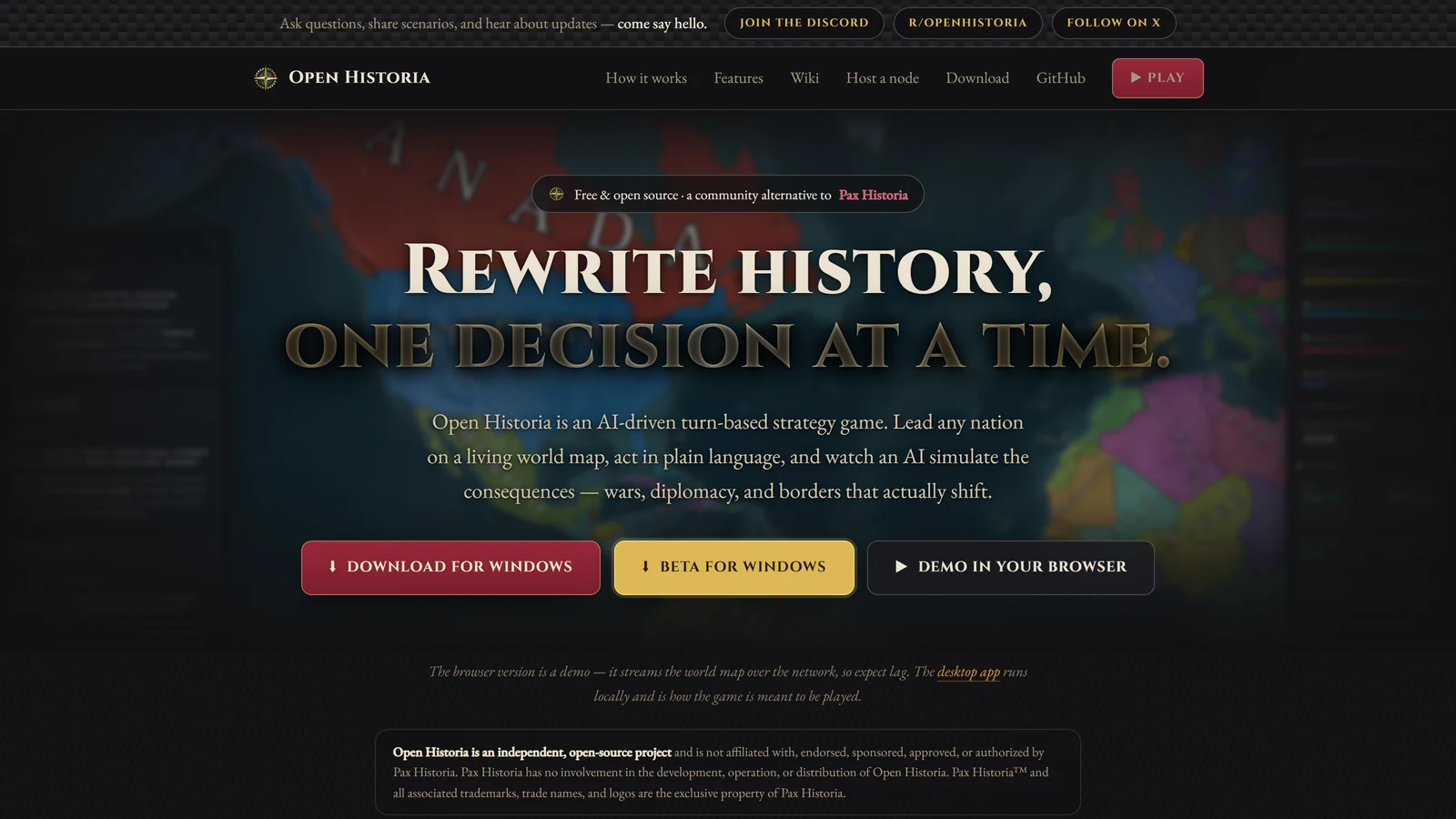
Open Historia is a free, open-source game in which you run a country on a world map and an AI plays everyone else. You write orders in plain English, negotiate with AI leaders in chat, skip forward in time, and read the events the AI writes. Its own repository describes it as an open-source alternative to Pax Historia.
We have not played Open Historia, and this page is not a review: it is not rated on our benchmark. Everything below comes from its GitHub README, its documentation in the repository and its release list, read on 24 October 2026. Where we could not confirm something, we say so. For the game it is modelled on, see our Pax Historia guide.
The Short Version
| Question | Answer on 24 October 2026 |
|---|---|
| What is it? | A free, open-source AI strategy sandbox: a map, countries, orders, diplomacy and time skips |
| Does it cost money? | The game is free, with no accounts. You bring an AI key, or a model on your own computer |
| Where can I play? | As a desktop app (Windows, macOS, Linux) or an Android app. The site calls its browser version a demo |
| Is there a free way to run the AI? | Yes. A free Google AI Studio key is its suggested quickest start, and local models are supported |
| Is it a finished product? | Its repository shows steady work: the project began on 1 March 2026 and had changes on the day we read it |
| Licence | AGPL-3.0 for the code. Scenarios are shared under CC BY 4.0 |
| Is it Pax Historia? | No. The site says it is independent and not affiliated with, or endorsed by, Pax Historia |
| Where do my saves live? | In your browser or on your own machine. There is no server-side copy |
If you only read one line: Open Historia has no subscription, and the cost it leaves you is whatever your chosen AI provider charges.
What It Is
Its documentation says Open Historia “works differently from most strategy games”. There is no build queue, no research tree and no clock ticking down. You have one country, a world full of countries that a language model plays, and a button that advances time.
The loop is five steps:
- Look at the world. Click countries to read them, and ask your advisor what it thinks.
- Write down what you intend to do. Orders go in an actions queue, in plain English.
- Talk to people. Open a chat with any country and negotiate, threaten or ask questions.
- Skip time. Choose how far: six hours, a month, a year.
- Read what happened. The AI writes events, and the map changes as each one lands.
The docs say plainly that step 4 is where the game happens, and that nothing moves until you skip time.
It is not an RPG in the sense of a character with a sheet and dice. You write instructions for a government. That puts it next to Pax Historia and Altworld, which we rated 2.9, and apart from tabletop-style games. Open Historia is not scored. The project’s own site is clear that it is an independent project, not affiliated with Pax Historia, and Pax Historia has no involvement in it.
How to Play It
Its home page says “no accounts, no store, no build tools to wrangle”, and lists these ways to run it:
| Way | What it involves |
|---|---|
| Desktop | The way the site says the game is meant to be played. Windows 10 and 11 has an installer of about 136 MB, macOS has Apple Silicon and Intel builds of about 163 to 169 MB, and Linux has a .deb and an AppImage of about 125 to 161 MB. The world map downloads the first time you open it |
| Android | An APK of about 65 MB. Saves, scenarios and the whole map are on the phone, and it plays offline, except for the AI and the community hub |
| In a browser | The site calls this a demo. It streams the world map over the network, so expect lag |
| From source | The README says to install Git and Node.js 22 or newer, then clone the repository, fetch the map data, build and start the server |
Every platform also has a beta build with the newest features. It is a separate app with its own saves, so your stable games do not show up in it.
On Windows, the troubleshooting guide says the installer is not code-signed yet, so SmartScreen will warn you and you choose “More info” then “Run anyway”. On macOS, the app is also not code-signed, so you right-click it and choose Open once. Only download from the project’s own pages.
The README says the game’s server answers only the machine it runs on by default. To play from another device, you turn on a setting that lets others connect. It warns that the game’s API has no password, so anyone who can reach that address can read, change and delete your games. It says that is fine on a home network you control and a bad idea on public Wi-Fi.
Connecting an AI
Open Historia does not ship with a model and does not sell you one. Its docs say you point it at a provider, either a cloud API you have a key for or a model on your own computer. Without a provider, the game still runs, with the map, editor, saves and interface, but time skips fall back to a small set of canned events and the advisor cannot answer.
The first time you open a campaign without a working model, the game asks you to set one up. The five provider types it lists:
| Provider | What it is |
|---|---|
| Gemini | Google AI Studio’s native API, the default |
| OpenAI | The official OpenAI API |
| Anthropic | Claude through the Messages API |
| OpenAI Compatible | Anything that speaks that format: Ollama, LM Studio, llama.cpp, DeepSeek, Groq, Together, OpenRouter, vLLM |
| Anthropic Compatible | A self-hosted proxy that speaks the Anthropic format |
The docs call a free Google AI Studio key “the shortest path”. Create one at Google AI Studio, which they say is free and needs no billing details, paste it in, and leave the model alone. A new Gemini key gets a default list of two fast, light models, with the second as a backup. Anthropic is pay-per-token with no free tier, and its default is the cheap Claude Haiku model. OpenAI needs credit loaded. Your key is stored in your browser or in the desktop app’s own profile, and the docs say it is never sent to an Open Historia server, never written to save files and never included in an exported scenario.
A browser limit. Some providers refuse requests made directly from a web page. The desktop and self-hosted builds work around it with a relay on your own machine. The hosted website has no relay, so a provider that blocks browsers will not work in the browser demo. The docs say Gemini and Anthropic’s native APIs allow browser access and work everywhere.
Which model
The provider page makes a point that is useful for any AI game. The game does not just ask for prose. It asks the model to return strictly structured data describing territory transfers, unit operations and country changes, alongside the narrative, and to keep them consistent. A model that writes beautifully but cannot produce valid structured output gives you turns that fall back to canned events. So the docs rank, in order, instruction-following and structured output, then writing quality, then speed. They say a smaller model that follows instructions precisely often beats a larger, chattier one.
For local models, the docs say models around 3B and below frequently fail to produce valid structured output, and that you will see canned events. They say to use 7 to 14B instruct models or larger. Our guides to local models for AI RPGs and KoboldCpp vs Ollama cover the hardware side.
A suggested pattern from the docs: play on a cheap model and switch to a stronger one when something important is happening. Its settings include per-task models, so the time skip can run on a strong model while small jobs run on a cheap one, and a backup model list that takes over when one runs out of allowance.
What a Turn Costs
The docs describe cost as “rough guidance rather than a price list”:
- A time skip is one request, whether or not “Save AI requests” is on. The events carry their own changes, and nothing is asked afterwards. With that setting off and AI lookups on, a skip can use up to three requests.
- Diplomacy, the advisor and “Background AI” (countries writing to you unprompted, extra reports) cost extra on top. Background AI is capped at 30 a day by default.
- Longer skips cost more, because there is more to write.
- The settings screen shows today’s request count and what your last skip used.
- Gemini’s free tier covers solo play, the docs say, but watch its rate limits on larger models.
- Cheap tiers such as Haiku, Flash and DeepSeek run a campaign “for small change”. Frontier models are better and “noticeably more expensive per turn”.
- Local models cost nothing and run offline.
To spend less, the docs suggest leaving “Save AI requests” on, turning Background AI off or lowering its cap, and using the advisor less.
Orders, Time and Diplomacy
Orders are free text. The docs say the difference between a good turn and a bad one is usually the order, not the dice. They give advice that matches our own view of AI games: name the thing and the place, say why when it matters, ask for things that take time, and do not write fiction. “Launch an offensive toward Kharkiv” is an order; “our forces take Kharkiv” is you trying to write the event. A standing goal field sets a direction behind your orders, such as “keep out of the war and grow the economy”. It guides the AI but never creates an action you did not order.
Time. You can skip 6 hours, 1 day, 3 days, 1 week, 1 month (a flat 30 days), 3, 6 months or 1 year, or a custom amount, or let auto-jump choose. The docs advise starting with months, because a year-long skip on turn one makes the campaign feel thin. While events are written you can read them one at a time, and Intervene stops at the event you are looking at, keeping what you have seen and dropping the rest. Undo last turn restores the world, and the game keeps 12 turns of snapshots.
Diplomacy is a conversation, not a menu. There is no “propose alliance” button. You open a chat with a country, and its leader answers in character. The docs say each country keeps its own private summary of its dealings with you, so a leader you threatened ten turns ago has not forgotten it. Group chats let you talk to several countries at once, and a poll in a thread is binding.
Armies are formations on the map with a type, a strength, a posture and an owner. You state what you want, and the turn decides what happens. The docs say units are not moved by hand in normal play, though a Force Manager in the cheats panel can edit them.
For why an AI world like this can contradict itself, see why AI campaigns forget. The docs are candid about it too: a “country is behaving incoherently” section says to undo the turn, roll back, or use a “GM Console” to describe what should be true.
Difficulty
There are six levels, from Very Easy to Impossible. The docs say difficulty does not give the AI secret information or extra resources. It changes how much benefit of the doubt your plans get, how competent your rivals are, how hard consequences press and how firm other governments are. They call Medium “the honest one”, where “the simulator neither helps nor targets the player”, and the right default. On Hard, a vague order like “improve the economy” will get you an event about a policy that did not work.
Scenarios, Maps and the Community Hub
A scenario is a world: its map, borders, starting date, troop types and house rules. A game is one playthrough. Games are independent copies, so editing a scenario later does not change a game in progress.
Modern Day is the only scenario built into the game. Its docs describe it as a hand-drawn world of 4,848 regions and 202 countries, starting on 1 January 2016. Every other scenario, including the official World War II (1939), Medieval (1200 AD), Rome (117 AD), Mongol World (1300 AD), New World (1650) and Bronze Age (1200 BC), lives on a Scenario Hub in the game’s Community tab. You import one with a click, and you can publish your own.
A built-in map editor lets you draw regions, split and merge borders, paint owners and add cities, then play your map. You can also invent a faction with a name, colour, flag, lore and starting territory, or start landless. The docs say to write real lore, because the AI reads it and it steers how every other country treats you.
Scenarios are released under the Creative Commons CC BY 4.0 licence. The README says that applies to every scenario posted or shared, and that the game says so on the screens a scenario leaves from.
Saves and Privacy
Open Historia saves continuously. There is no save button. On desktop, saves are files in the app’s data directory. In the browser, clearing site data clears your campaigns, and there is no server-side copy, so the docs tell you to grant persistent storage when asked. You can clone a game before doing something reckless, which works as a manual save slot.
The README says the Android app works offline except for the community hub, your AI provider, the update check and the map’s imagery and flags, and it links a privacy policy that lists them. The world map is served by a community network of content nodes. The home page also asks, by a banner, whether it may count visits with Google Analytics and Umami, and we declined it. Read the privacy policy before you use the website.
What We Could Not Confirm
- How it plays. We have not played it, so we cannot say how good the events, diplomacy or battles are.
- Which models work best. The docs give defaults and principles, not a ranking, and we did not test any.
- How stable it is. It is young, and its desktop releases come in separate stable and beta lines, with the beta keeping a separate library.
- How many people use it. We did not find a figure and we do not quote one.
- How good the browser demo is. The site itself warns it lags, and some providers do not work in it.
Where It Sits Among the Alternatives
| If you want | Look at | Our guide |
|---|---|---|
| The game it is modelled on, with tokens and Patron | Pax Historia | Pax Historia |
| A world simulator that writes a history of your choices | Altworld | Altworld review |
| An AI story game with community worlds and a model menu | Infinite Worlds | Infinite Worlds |
| Every AI simulation game side by side | Several | AI simulation games |
| Free AI games in general | Several | Best free AI roleplay |
| A scored game with real rules | Scored platforms | Best AI roleplay platforms |
What sets Open Historia apart from Pax Historia, from what we have read, is that it is yours to run: the code is open, saves are local, and you choose and pay your own AI provider. What it shares with every game on this list is that the AI writes the world, so how good it is depends on the model you connect.
A Short Checklist
- Want to try it? Install the desktop app, pick Modern Day on Medium, and connect a free Google AI Studio key. The browser version is only a demo.
- Prefer to keep everything on your machine? Use the desktop app with a local model of 7B or larger.
- Turns fall back to canned events? Check your model, because a small or free auto-routing model may not return valid structured data.
- Playing the browser demo? Do not clear site data without exporting your games.
- Sharing the server with other devices? Remember the API has no password.
- Writing orders? Be specific, name places, and never write the outcome.
Frequently Asked Questions
Is Open Historia free?
Yes. The game is free and open source under the AGPL-3.0 licence. It does not sell or ship an AI, so you connect your own: a free Google AI Studio key, a paid key from Anthropic, OpenAI or others, or a model running on your own computer.
Is Open Historia the same as Pax Historia?
No. Its own repository describes it as an open-source alternative to Pax Historia. Both are AI strategy sandboxes where you write orders, talk to AI leaders and skip time. Pax Historia is a hosted game with a token system, and Open Historia is open source and uses your own AI provider.
How do I play Open Historia?
Install the desktop app for Windows, macOS or Linux, which the site says is how the game is meant to be played, or the Android app. There is also a browser demo at openhistoria.com that the site warns will lag, and you can build it from source with Node.js 22 or newer. You bring your own AI key. Games are saved on your own machine or in your browser.
What AI model should I use for Open Historia?
The docs say the game needs structured output as well as prose, so instruction-following matters most. A free Google AI Studio key with its default Flash-Lite models is the suggested start. Local models should be 7B or larger, because models around 3B and below often fail to produce valid output.
Can I run Open Historia with a local model?
Yes. Use the OpenAI Compatible provider with Ollama, LM Studio or llama.cpp. On the desktop app no extra setup is needed, and in the browser you must allow the site’s origin on your model server.
Does Open Historia work offline?
The desktop and Android apps keep saves, scenarios and the map on your device and can play offline. The AI needs a connection unless it is a model on your own network or machine, and the community hub and update check use the network.
Where are my Open Historia saves?
On desktop they are files in the app’s data directory. In the browser they are in your browser’s storage, and clearing site data clears your campaigns. There is no server-side copy, so back up or clone games you care about.
Is Open Historia safe to install?
We did not audit it. Its documentation says the Windows installer and the macOS app are not code-signed, so you will see warnings, and that your API key is stored locally and not sent to its servers. Download only from the project’s own pages and read the privacy policy.
Open Historia, Pax Historia and the AI services named on this page are third-party products and names are used nominatively. Arcanum is not affiliated with the Open Historia project, Pax Historia or any provider named here. Everything on this page was read from public pages on 24 October 2026 and may change.