NovelAI Lorebook Guide (2026): Keys, Regex, Token Budgets, Insertion Order and the Xialong Changes
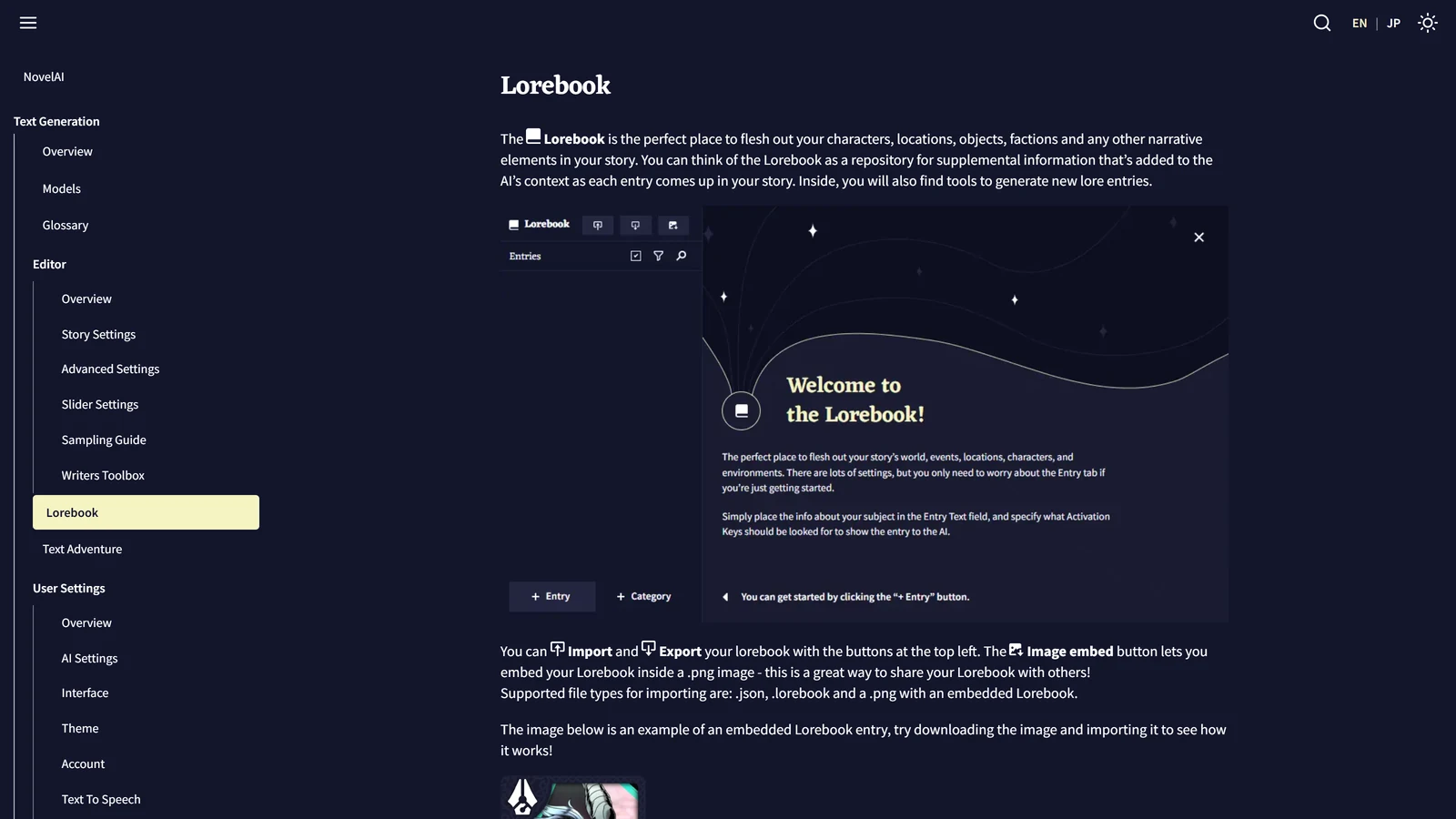
NovelAI’s Lorebook is a set of notes that the AI reads only when they are relevant: each entry has activation keys, and when a key shows up in the recent story, NovelAI adds the entry’s text to what the model is given. The documentation calls it the place to “flesh out your characters, locations, objects, factions and any other narrative elements”. The idea is the same as the lorebooks of other AI roleplay tools. What is specific to NovelAI is how much control it gives you over where an entry goes and how much room it gets, and how that control changes on its newest models.
We read NovelAI’s Lorebook documentation, its Story Settings page and its model page on 8 November 2026. We did not subscribe, build a lorebook or test any setting, so nothing here is a play report. Where we are interpreting and not quoting, we say so.
NovelAI is a trademark of Anlatan, used here only to identify the service. Arcanum is independent and not affiliated with NovelAI or Anlatan.
The Short Answer
| You want | Use | Watch out for |
|---|---|---|
| The AI to know a character | An entry with the name in the text and in the keys | The title is invisible to the AI |
| A fact that is always true | Always On | It costs tokens in every generation |
| A fact that appears only sometimes | Activation keys | A key must appear in the recent story |
| A key that needs two words together | Word1 & Word2 | Both must be in the search window |
| Exact or pattern keys | A key wrapped in slashes (regex) | Case sensitive, advanced |
| Protection for important entries | Reserved Tokens and Insertion Order | Placement is hidden on Xialong and GLM-4.6 |
| A secret from the player | Hide | Useful for shared scenarios |
| Starting from nothing | The Lore Generator | The AI writes it, so check it |
What a Lorebook Is For
A model only reads what fits in its context. In NovelAI’s case that is a limit set by your plan, and our pricing page lists it (28,672 tokens on the top tier, with an extra rollover window on the newest models according to the model page). A long story cannot keep every character description inside. The lorebook solves that by keeping the notes outside the story and inserting them on demand. Our explainer on why models forget covers the underlying problem, and the SillyTavern lorebook guide describes the same idea in another tool.
The documentation’s definition is brief: entries are “the main component” of the lorebook, each with its own activation keys, and when a key is found in the recent context, the entry’s text is inserted.
Anatomy of an Entry
Title, text and the invisible title
An entry has a title and a text. The documentation is firm about the first: the title “is only for organizational purposes and isn’t visible by the AI”, and for that reason “you should always include the entry’s title somewhere inside the entry text itself or else the AI won’t know what the entry is about.”
This is the most common mistake we would expect. An entry titled Captain Mara whose text says “A scarred woman who distrusts magic” gives the model a description with no name. Write the name in the text.
Enabled, Always On and Hide
| Setting | What the documentation says |
|---|---|
| Enabled | A disabled entry is not inserted “even if its key is triggered” |
| Always On | The entry is inserted regardless of whether its keys appear |
| Hide | Marks the entry hidden so its contents cannot be viewed unless you reveal them. Hidden entries are also hidden inside the Context Viewer |
Hide is aimed at a scenario you share: it lets you keep a secret (a traitor, a trap) from the player who imports it. Our reading: the AI still sees a hidden entry when it is active. The hiding is from your eyes.
Always On should be kept for the few things the model must never lose, such as the premise or the player’s role. Each always-on entry is paid for in every generation.
Activation keys
A key is a word or phrase that triggers the entry when it is found in the recent story. Rules from the page:
- Keys are not case sensitive.
- A key that begins and ends with
/is a regular expression. Regex keys are case sensitive and support the flagsi,s,mandu. If the key is part of a placeholder, add a$at the very start, before the first slash. - An ampersand means “all of these”. A key of
NovelAI & Anlatanactivates only when both words are inside the search window.
The page adds a Goose Tip that regular expressions are “an advanced topic with a steep learning curve” and points to a site for learning them. For most stories, plain keys do the job: put the name, a nickname and the title of the person (Mara, the captain, Captain Mara) as separate keys.
Our observation: choose keys that appear when the character is relevant, not just when they are mentioned. A key like the would fire constantly. A key like Mara fires on every mention, including “Mara’s ship burned last year”, which may be what you want or may waste tokens.
The Placement Tab
The Placement tab controls where and how the entry is put into the context. The documentation says it is “intended for experienced users”, and that you should only change values if you understand them. It also carries a note that placement settings are not available on the Xialong and GLM-4.6 models (see the last section).
| Setting | What it does |
|---|---|
| Search Range | How many characters of the story are searched for keys. Maximum 10,000 |
| Key-Relative Insertion | Inserts the entry relative to the last of its keys found. A positive position puts it after the key, a negative one before it |
| Cascading activation | The entry searches for keys in non-story context too. The search range is ignored for those. The page warns the activating text is “not guaranteed to end up within the context” |
| Prefix / Suffix | Text added before and after the entry, after trimming |
| Token Budget | The maximum tokens the entry may use |
| Reserved Tokens | Tokens the entry sets aside for itself before any entries are placed |
| Insertion Order | Entries with a higher value reserve tokens and are inserted first |
| Insertion Position | 0 is the very top of the context, 1 one unit down, and negative numbers count from the bottom, with -1 the very bottom |
| Trim Direction | Where to cut when the entry does not fit. “Do Not Trim” includes it only if it fits whole |
| Maximum Trim Type | How far trimming may go |
| Insertion Type | The unit used to separate the context when inserting |
How tokens are divided
Two ideas matter most. A token budget is a ceiling: no entry may use more. A reservation is a promise: the tokens are set aside before any entry is placed, so a reserved entry cannot be squeezed out by earlier, larger ones. The page gives an example: if reserved tokens are 200 and the entry’s text is 100 tokens, only 100 are reserved.
Both accept a decimal between 0 and 1 (exclusive), which is read as a percentage of the maximum context size, worked out as max tokens minus the length of the output. So a reservation of 0.1 sets aside ten per cent of the room.
Insertion order, and a warning
Entries are ordered by Insertion Order before the context is built. Higher goes first, and gets its tokens first. The page says plainly: “If two entries share the same insertion order, there is no guarantee which will be inserted first.” So if two entries both matter, give them different numbers.
On Key-Relative Insertion, the page says such entries “should typically have a lower Insertion Order than the story context (default 0) and a sufficient amount of reserved tokens”, and warns that “large numbers of relatively inserted lorebook entries can slow down context creation”. Our reading: it is a precision tool and not one to apply to every entry.
Phrase Bias on an Entry
Each entry can carry Phrase Bias: a nudge for or against particular words while the entry is active. The page’s rules:
- Wrap exact text in
{curly braces}, or token IDs in[square brackets]. Biases are case sensitive. - Biases are organised into groups, each with a Bias Value that applies to everything in the group. One entry can hold several groups.
- The effect of a value “varies wildly” by model. The page says Krake is much more sensitive and suggests decimals for it.
- Options per group: Enable, When Entry Inactive (apply the bias when the entry is not active), Ensure Completion After Start (once the first token of a phrase appears, the rest always follows) and Unbias When Generated (remove the bias after the phrase is produced, for the rest of that generation).
- You can import and export biases as a
.biasfile.
A practical use, in our reading and untested: an entry for a character who speaks with a verbal habit can carry a bias toward that phrase. Take the page’s own warning seriously: a bias that is too strong will make every line of a scene sound alike.
Categories
Categories group entries, and the documentation lists what each tab does:
- Default sets the default placement for new entries made in the category, or updates the settings of all existing ones.
- Subcontext has a Create Subcontext toggle. Switched on, it groups the category’s entries and inserts them together using the chosen settings.
- Phrase Bias works as on an entry, but a category-level bias applies when any entry in the category is active.
Use categories to hold characters apart from places, and to set a placement once. On Xialong and GLM-4.6 the picture is different, as below.
Xialong and GLM-4.6: What Changes
NovelAI’s newest text models are Xialong and GLM-4.6. The Lorebook page carries three notes about them:
- Placement settings are not available. The whole Placement tab described above is hidden.
- Category settings shrink. The only category setting is Lorebook Entry Header: text inserted above every entry in the category.
- Advanced Conditions appear, and only there. The tab gives extra rules for when an entry activates.
Advanced Conditions
| Condition | Activates the entry when |
|---|---|
| True | Always |
| Keyword Match | A keyword is within the search range |
| Lore Entry Active | A chosen lorebook entry is active |
| AI Model | A chosen model is in use |
| Story Mode | The story is in the chosen mode, Normal or Adventure |
| Random Chance | A set percentage (0 to 100) comes up |
| Numeric Comparison | Two numbers compare as you set, using values such as currentStep, paragraphCount or characterCount |
| String Comparison | Two values compare using equals, includes, starts with or ends with. Values can be storyText, memoryText or authorsNoteText |
| AND Group / OR Group | All, or any, of the conditions inside are true |
| NOT | Negates the next condition |
Multiple top-level conditions use OR. The entry activates when any one is true. The page says so explicitly, so use an AND Group when you mean “all of these”.
The documentation gives the most practical use of Numeric Comparison in its own words: “a sort of countdown clock until a specific story event happens.” That is an RPG-shaped idea: an entry that only wakes up after a certain number of steps. Two caveats of ours. We did not build one, and NovelAI also has a separate timed-entry feature, Ephemeral Context, covered on our Memory and Author’s Note page.
Why it matters when you choose a model: a lorebook you tuned with placement on an older model will not bring those settings with it onto Xialong, according to the page. Check your entries after switching. The model page also says Xialong’s context is 28,672 tokens plus an 8,192-token rollover, so the room the lorebook shares with the story is not small.
The Lore Generator
If you do not know where to start, there is a generator. You choose a type, type what you want, and generate.
- Generation Type steers the kind of entry. You can type a custom type in the dropdown and press enter.
- Input Text is the prompt. Names like “Fogwood Keep” or short descriptions like “an enthusiastic merchant” work best, and you can add tags in brackets, for example “Black Skull Fleet (pirates, space)”.
- Add Context (advanced) can include Memory, the Author’s Note, about 2,500 characters of recent story, or other lorebook entries, so the entry fits what you already have.
- Generation History keeps the last 50 outputs and is cleared when the page refreshes.
- You can change the model and preset used for generation under Change settings.
It can also continue text you have already written in the entry. Our advice, from the way the tool is described: read what it writes before you keep it. A generated entry is an AI guess about your world, and anything wrong in it will be repeated in every scene where it activates. The Story Settings page adds that you can pick which model is used for lorebook generation in the AI Settings default menu.
Import, Export and Sharing
- Import accepts
.json,.lorebookand a.pngwith an embedded lorebook. - Export lets you choose entries with the Selection icon.
- Image embed puts a lorebook inside a
.png, “a great way to share your Lorebook with others”. The page includes an example image to try. - The page says the NovelAI Discord has a content sharing channel with lorebooks made by the community.
Treat a lorebook from a stranger like any file: it only holds text and settings, but it can still hold a hidden entry that shapes your story. Open the entries before you play.
A Starting Setup
This is our assembly from the documents, not a documented recipe, and we have not run it.
- One Always On entry for the premise and your character’s role. Keep it short.
- One entry per major character, with the name in the text, two or three keys (name, nickname, title), and a small reservation so it is not squeezed out.
- One entry per place, keyed to its name.
- Distinct Insertion Orders for anything that must not lose a tie.
- Check with the Context Viewer to see what actually went in. That tool is in the Advanced tab and our Memory and Author’s Note page explains it.
What We Did Not Check
| Not checked | Why it matters |
|---|---|
| Building or running a lorebook | We read the documentation and ran nothing |
| Whether keys match inside longer words | The page does not say |
| What happens to old placement values on a model switch | The page says placement is unavailable on Xialong and GLM-4.6 and says nothing about migration |
| Lore Generator quality | That is a judgment of output we have not made |
| The size of the lorebook limit | The pages we read give per-entry limits, not an overall cap |
| Which plan gives how much context | Our pricing page is the place for that |
Frequently Asked Questions
What is the NovelAI Lorebook?
It is a store of notes about your characters, places, objects and factions. Each entry has activation keys, and when a key appears in the recent story, NovelAI adds the entry’s text to what the AI reads. NovelAI’s documentation describes it as a repository for supplemental information added to the context as each entry comes up.
Why does the AI not know what my lorebook entry is about?
The entry title is only for your organisation and the AI cannot see it. NovelAI’s documentation says to put the title inside the entry text as well. If the text never names the person or place, the model has no way to know whom the text describes.
How do activation keys work in NovelAI?
A key is a word or phrase. When it appears in the recent story, the entry is inserted. Keys are not case sensitive. A key wrapped in slashes is read as a regular expression and is case sensitive. An ampersand between keys means both must be found in the search window.
How far back does NovelAI search for keys?
The search range is set per entry, in characters of the story, with a documented maximum of 10,000. That setting is in the Placement tab, which the documentation says is not available on the Xialong and GLM-4.6 models.
Can I import a lorebook from somewhere else?
Yes. NovelAI’s documentation lists .json, .lorebook and a .png image with an embedded lorebook as supported import types. You can export entries, and the Image embed button saves a lorebook inside a .png so it is easy to share.
What is different about the Lorebook on Xialong?
The documentation says placement settings and most category settings are not available on Xialong and GLM-4.6. In their place, Advanced Conditions are available only on those two models, and the only category setting is a Lorebook Entry Header that is inserted above every entry in the category.
NovelAI’s Lorebook, Story Settings and model documentation were read on 8 November 2026. We did not subscribe to NovelAI or build a lorebook for this page. NovelAI is independent of Arcanum, and we have no commercial relationship with it.