Craft RPG Guide (2026): The Free Tier, Energy, and Your First Game
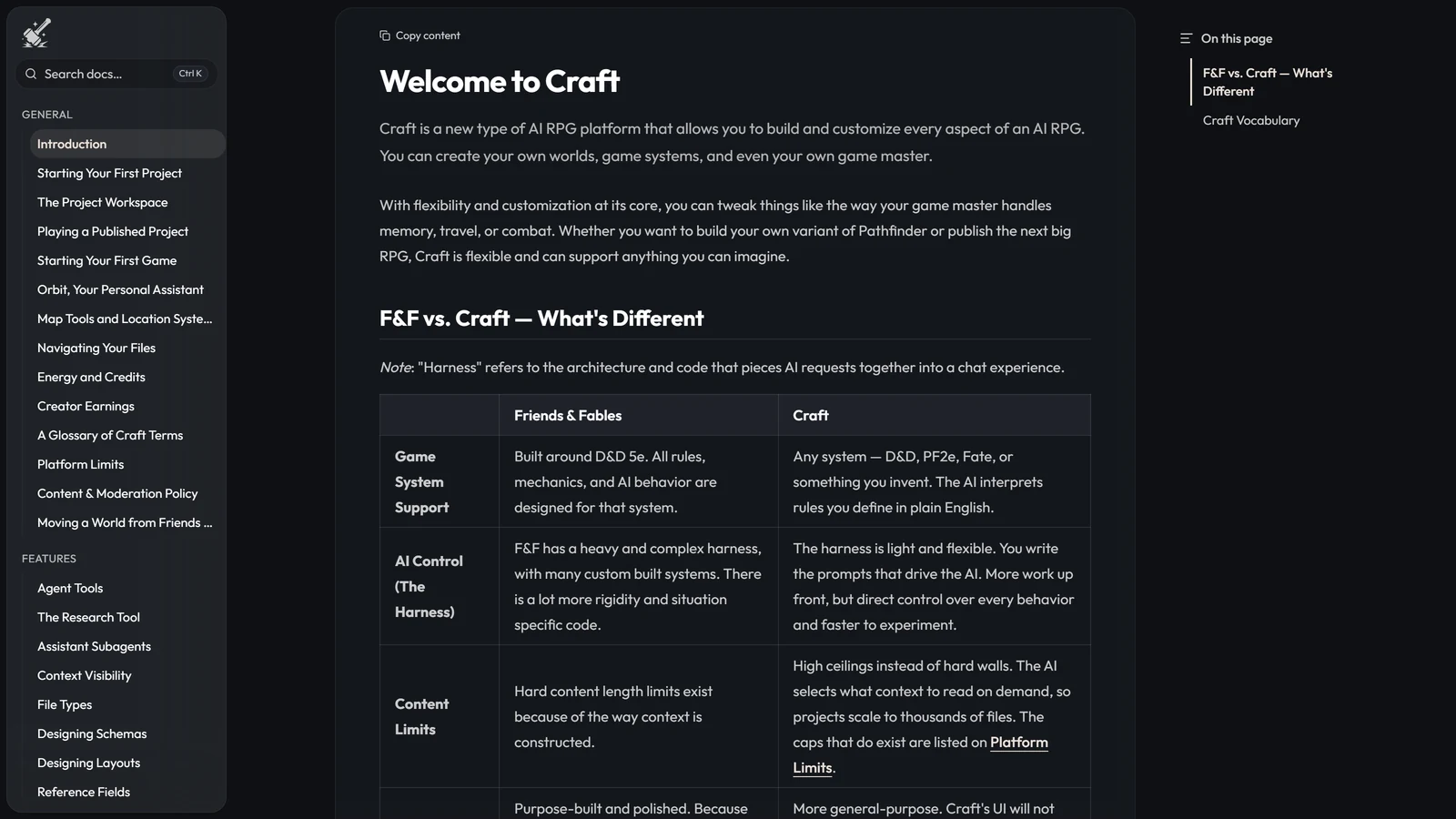
Craft is the AI RPG that does not ship a game. It ships the toolkit, and hands it to whoever wants to build a world in it — rules, narrator, memory, even new mechanics written as code. You can play other people’s worlds without building anything, and plenty of people do. But the platform’s centre of gravity is the creator, and that shapes everything from the free tier to why your first turn takes so long.
It is second on our benchmark at 4.3 out of 5, a tenth behind Voyage — the highest mechanical ceiling in the directory and the longest waits in it. This guide covers what you get without paying, how the metering actually works, how to find and start a world, and the three things that will surprise you in your first hour.
Access disclosure: Craft’s developers provided beta access and a subscription for our review and this guide. No conditions were attached, and our coverage is independent and unpaid — we do not accept payment for coverage or ratings.
What Craft Is, in One Minute
Every other AI RPG we have rated decides things for you: the studio picks the ruleset, writes the game master, and chooses how memory works. Craft’s answer is that it has no answers. A worldbuilder defines the ruleset, writes the narrator’s voice and behaviour, and authors memory structures in markdown per world. Some of them write entirely new gameplay systems as code.
Three consequences follow, and they are the whole shape of the product:
- Your experience depends on the world you loaded, not on Craft. Pick a well-built world and this is the most dependable resolution layer in the category — the mechanics run exactly as the author wrote them. Pick a careless one and Craft will faithfully execute carelessness.
- It looks like a visual novel. Character sprites above a text box, expressions that shift as characters speak, real in-game cinematics. Alongside Tidefall, it is the best-looking thing in this category.
- It is single-player. Project collaboration shipped on 26 August 2026, so up to four invited editors can build a project alongside its owner. Playing together has not shipped. As of 12 September 2026 there is no way for two people to share a game.
It left closed beta on 31 July 2026 and is an open beta now — publicly playable, free tier included, no invite needed.
What the Free Tier Actually Gives You
Craft’s free tier is a real one, which is rarer in this directory than it should be. Here is the whole ladder, verified on Craft’s pricing page on 12 September 2026.
| Tier | Price | Daily energy | Rollover | Project / game slots | Core models |
|---|---|---|---|---|---|
| Free | $0/mo | — | — | 10 / 10 | Limited daily use |
| Starter | $19.99/mo | 100 | 20% | 50 / 20 | Increased daily use |
| Plus | $39.99/mo | 200 | 30% | 75 / 30 | Unlimited |
| Pro | $59.99/mo | 300 | 40% | 100 / 40 | Unlimited |
| Max | $99.99/mo | 500 | 50% | 150 / 60 | Unlimited |
| Ultra | $199.99/mo | 1,000 | 50% | 250 / 100 | Unlimited |
Every tier, free included, gets the advanced worldbuilding tools and unlimited instant file generations — the AI feature that creates a single file from a prompt, made free for everyone on 29 August 2026. Access to the wider All Models roster starts at Starter.
The honest read of that table: the important line is $39.99, where Core-model play stops being metered at all. Below it you are managing a budget; above it you are not. The two tiers above Plus buy a bigger daily energy allowance for the wider model roster rather than anything Plus cannot do, and Ultra exists because some players asked for a higher ceiling than Pro, not because Pro is missing a feature.
For the cross-platform picture — who meters, who does not, and what that costs over a year — see what an AI RPG actually costs.
Energy, Credits and the Core Band
Craft has two currencies and one band, and the band is the part people misunderstand.
Energy is your daily allowance for AI requests on a paid plan. It refills each day, and different actions cost different amounts depending on how much the model has to read and write — a long turn in a context-heavy world costs more than a short exchange. Each plan rolls over a percentage of whatever you did not spend, from 20% on Starter to 50% at the top. That is genuinely unusual and worth naming: most daily allowances in this category simply expire overnight.
Credits are the separate on-demand currency. You buy them, they stack, and they never expire. There is a Play With Credits toggle on any generation, which is what you reach for when the day’s energy has run out mid-session. You can watch both under Settings → Usage, where a Balance card shows your totals and a Usage History table itemises where it went.
Craft Core is a band of models whose usage Craft absorbs instead of charging you for. Introduced on 19 August 2026, it launched as MiMo 2.5, DeepSeek v4 Flash and Hy3. Free accounts get limited daily Core use, Starter gets more, and from Plus upward it is unlimited — after which Core play costs you nothing at all and energy is only for the wider roster.
The band is not fixed, and Craft changes it in public. GLM 5.3 Flash was pulled for slow response times and timeouts, then restored on 7 September 2026 after players asked for it back. DeepSeek V4.1 Flash arrived on 12 September 2026 and was explicitly kept out of Core as too expensive. If you are choosing a plan based on a specific model, check the patch notes rather than a guide — including this one.
Playing a World Somebody Else Built
This is the path most new players should take first, and it needs nothing from the creator tools.
- Click Discover in the left sidebar. You get a grid of project cards published by the community, searchable by title or description and sortable by recently published or most played.
- Each card shows the author, a system tag, the title, a description and play counts. Click one to open its project page — cover art, creator, play statistics, premise.
- Click Start game at the top right. That spins up a fresh session.
- Pick a character. Bundled characters appear as portraits in a strip along the bottom, with the highlighted one shown full-bleed; or click + Create Character to make your own. If the world’s character type includes a creation flow you will step through guided screens, otherwise you fill a form and click Create & Play.
Then the screen splits. On the left: the GM’s message, your input box, a model picker that swaps which model is running the game master mid-session, and a token counter. On the right: an Overview tab with the scene, its music and your character sheet, an Assistant tab where Orbit answers out-of-character questions, and any character-specific tabs the world has defined.
Two things in that layout are worth knowing early. The model picker is live — if turns are dragging, change model without leaving the session. And Craft now tags slow models with a Slow label and a confirmation dialog before you pick one, and blocks slow-tagged models from being a world’s recommended default, though you can still choose one deliberately.
If You Want to Build: Your First Project
- Click + New Project in the left sidebar.
- Choose a starting point: browse Start from a system, or use Start from scratch or Import Project in the header. (Coming from Friends & Fables? That is the Import route — we wrote the full migration guide.)
- Name it.
- Pick the type. A World is a playable setting with its own characters, locations and campaign — most projects are worlds. A System is a rules framework that cannot be played directly and exists for other people to build on.
- Click Create.
Inside, the workspace is three columns. The left sidebar switches between Files (the folder tree, where most work happens), Search, and Packages. The middle is your canvas, with files as tabs and four view modes — a rendered layout view, a flat form view of every schema field, a raw JSON view, and a history view with restore. The right panel is Orbit, the assistant that can read your project, propose changes, generate files and update file types.
The single highest-leverage thing you will write is your GM instructions, under Settings → Game Master — we go much deeper into those, and into context visibility, schemas and publishing, in how to build a world in Craft. Craft’s own documentation calls them the most important factor in how a game feels, and its advice is unusually good: ten clear rules beat fifty vague ones, conditionals (“when players enter a new location, describe it”) beat absolutes (“ALWAYS describe the environment”), and you should organise by frequency — pin core tone and universal rules, mark combat and NPC behaviour as partial, leave lore searchable.
The generous limits are worth knowing so you stop worrying about them: 10,000 files and 1,000 folders per workspace, nesting fifteen deep, 100 file types. You will hit the plan’s project and game slots long before you hit any of those.
Three Things That Will Surprise You
The waiting. This is the platform’s real weakness and you will meet it in your first session. Turns take long enough to process that we spent roughly as much of an extended campaign watching a turn resolve as reading and playing one. It is the slowest thing we have tested. It does not ruin a campaign the way compounding errors do elsewhere — which is why Craft still scores Longevity — 3.5 — but it makes long sessions tiring in a way that has nothing to do with the writing. Budget for it, and use the model picker.
The narrator will occasionally play your character. Railroading is genuinely not a problem here: go off-path and the world comes with you. Puppeting is, mildly but persistently — the game master will sometimes decide what your character does or says. That is Player Agency — 3.5. A disciplined worldbuilder can probably beat it, since the narrator is authored per world, but we rate the platform as most players will meet it.
Memory is good, and then it isn’t. Craft passed our planted-fact probe — a detail seeded early came back correctly much later, unprompted, which most platforms in this directory fail. What costs it the fifth point is the recent past: it garbles what just happened, and it has let NPCs forget promises they themselves made. That is Memory & Continuity — 4, the joint second-best score on the board. The reasons this is hard are structural.
Is Craft the Right Place to Start?
If you want to build, yes, and it is not close — nothing else in this directory hands you the design surface itself. If you want to play worlds other people built, it is a good place to do that too, as long as you choose worlds carefully and accept the turn times.
If you want to sit down tonight and have a game happen to you with no decisions, something that ships its own game will serve you better — start with the best AI roleplay platforms. And if you want to play with friends, Craft cannot do that yet; its predecessor can, and Craft vs Friends & Fables lays out that choice in full.
Update, 4 November 2026: Craft shipped a rebuilt game master, GM Harness 2, on 29 October, after this guide was written. What it changes, and the state of the V1 to V2 deadline, are in Craft GM Harness 2 explained.
Frequently Asked Questions
Is Craft RPG free? Yes, with real limits. The free tier gives you limited daily use of Craft’s Core model band, ten project slots, ten game slots, the full worldbuilding tools and unlimited instant file generations. It is one of the more usable free tiers in our directory — enough to build a world and play it. What it does not give you is the wider All Models roster or a daily energy allowance, both of which start at $19.99 a month.
What is energy in Craft? Energy is your daily allowance for AI requests on a paid plan. It refills each day, and different actions cost different amounts depending on how much the model has to read and write. Each plan also rolls over a percentage of unused energy — 20% on Starter up to 50% on Max and Ultra — which is unusual, since most metered platforms expire your allowance overnight. Credits are the separate on-demand currency: you buy them, they stack, and they never expire.
What are Craft Core models? Craft Core is a band of models whose usage Craft pays for rather than metering against your energy. At its launch on 19 August 2026 it was MiMo 2.5, DeepSeek v4 Flash and Hy3, and it changes in public through the patch notes — GLM 5.3 Flash was pulled for slow response times and restored on 7 September 2026, and DeepSeek V4.1 Flash was kept out on 12 September 2026 as too expensive. Free and Starter accounts get limited daily Core use; Plus and above get it unlimited.
How do I start playing a world in Craft? Click Discover in the left sidebar, which shows a grid of project cards published by the community, and search or sort by recently published or most played. Open a card, then click Start game at the top right of the project page. That spins up a fresh session and takes you to character selection, where you pick a bundled character or click + Create Character. Then you are in.
Can you play Craft with friends? Not as of 12 September 2026. Craft shipped project collaboration on 26 August 2026, which lets a project owner invite up to four more editors to build a world alongside them, but there is no multiplayer gameplay — two people cannot play a game together. If group play is what you want, Friends & Fables, from the same studio, seats parties of up to six.
Why is Craft so slow? Turn processing is the platform’s weakest point and the thing you will notice first. In an extended campaign we spent roughly as much of a session waiting for a turn to resolve as reading and playing one, which is the slowest of anything we have tested. It is why Craft scores 3.5 rather than 4 on Longevity. Picking a faster model from the in-game model picker helps, and Craft now tags slow models with a warning before you choose one.
Do I have to build a world to play Craft? No. Discover is full of published community worlds and you can play those without ever opening the creator tools. But Craft’s centre of gravity is clearly the person building the world rather than the person dropping into one, and its best scores come from what a builder can do. If you only ever want to sit down and play, you will get more out of a platform that ships its own game.
Prices, feature names and the Core model band verified against Craft’s own pricing page, documentation and patch notes on 12 September 2026. This is an open beta and it moves weekly — check the patch notes for anything that matters to your decision.
Product names and trademarks are the property of their respective owners. Arcanum is not affiliated with Craft or with Wizards of the Coast.