How to Build a World in Craft (2026): GM Instructions, Rules and Memory
Craft is the only platform in our directory that hands you the design surface itself — the ruleset, the narrator and the memory structures are all things you write, not settings you pick. That is why it scores Mechanical Depth — 5, and it is also why a Craft world is only as good as the person who built it. The platform runs whatever you wrote, faithfully, including your mistakes.
This is the builder’s half of our Craft guide. It covers the decisions that actually determine whether your world plays well: what goes in your GM instructions, which files the game master is allowed to see and when, how to design a schema you will not regret, and how to publish without breaking campaigns already in progress.
One idea runs through all of it, and it comes out of our review: several of the things Craft loses points for are yours to fix. We scored it Player Agency — 3.5 because the narrator occasionally puts words in your character’s mouth — and since the narrator is authored per world, its restraint is authored too. A disciplined worldbuilder can probably beat that score. That is not a caveat, it is the job.
Access disclosure: Craft’s developers provided beta access and a subscription for our review and this coverage. No conditions were attached, and this guide is independent and unpaid — we do not accept payment for coverage or ratings.
First Decision: World or System?
When you click + New Project, Craft asks what kind of project this is, and the answer is load-bearing.
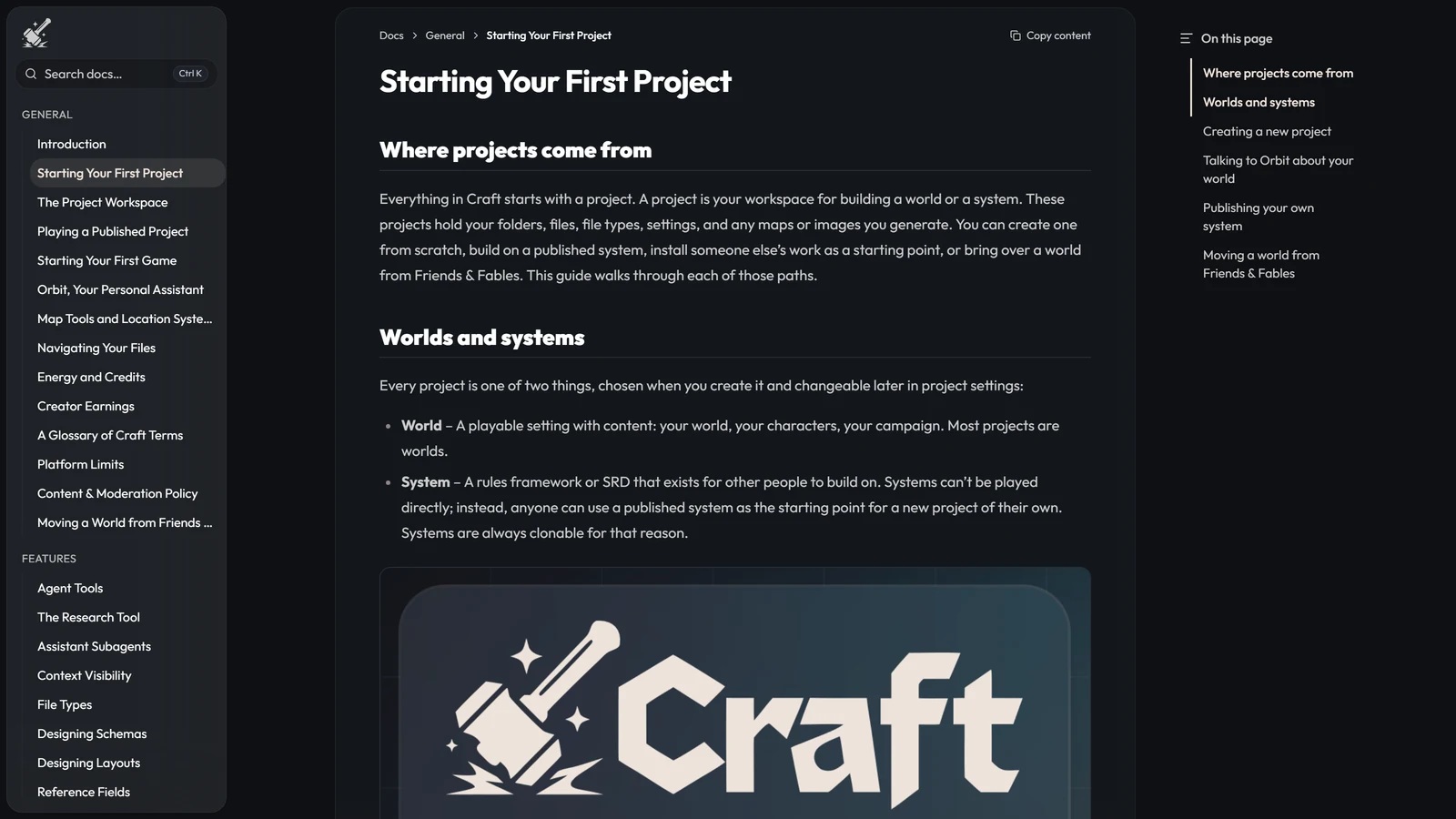
- A World is “a playable setting with content: your world, your characters, your campaign.” Most projects are worlds.
- A System is “a rules framework or SRD that exists for other people to build on.” Systems cannot be played directly — instead, anyone can use a published system as the starting point for a new project of their own.
You can also Start from a system someone else published, Start from scratch, or Import Project — the last being how a Friends & Fables world arrives, which we cover in moving your F&F world to Craft.
The project type is changeable later in settings, but the decision shapes everything else: a system author is writing rules for strangers to build on, and a world author is writing a game for people to play.
The Workspace, in Sixty Seconds
The left sidebar switches between three views: Files (the folder tree, where most work happens), Search, and Packages. The middle canvas opens files as tabs with four view modes — a rendered layout view, a flat form view listing every schema field, a raw { } JSON view, and a history view that restores past versions. The right panel is Orbit, which can read your project, propose changes, generate files and update file types.
Project Settings, behind the gear icon, is where this guide mostly lives: sub-tabs for Project, File Types, Appearance, Game Master, Game Sidebar, Visual Novel Mode, Image Generation and CDF Import/Export.
The structural limits are generous enough to ignore: 10,000 files and 1,000 folders per workspace, folders nesting fifteen deep, 100 file types, 200 top-level fields per type. You will hit your plan’s project and game slots long before any of those.
Update (14 September 2026). Patch B0.045 added world maps: a world with a map now shows it on its Discover page and project overview, where players can pan, zoom, open the places marked on it and drill into places that have maps of their own. Published worlds also get readable share links based on their title. This week’s news covers the rest of the patch.
GM Instructions: the Highest-Leverage Thing You Write
Friends & Fables had Franz, one game master running every table the same way. Craft deliberately removed him, so the narrator’s voice, restraint and rules-enforcement are yours. Craft’s documentation is blunt about the stakes: your GM instructions “are the single most important factor in how your game feels. They shape tone, pacing, rules enforcement, and narrative style.”
Four pieces of Craft’s own guidance are worth following literally, because they are the difference between instructions that fire and instructions that get ignored.
Less is more. “A tight set of 10 clear rules will be followed more reliably than 50 vague ones.” Every rule you add competes with every other rule for attention. Cutting is editing.
Use conditionals, not absolutes. Not ALWAYS describe the environment in detail but When players enter a new location, describe it in detail. An absolute fires everywhere, including the places where it makes the prose worse — which then teaches you to distrust your own instruction.
Organise by frequency. This is the bridge to context visibility, below: core tone and universal rules get pinned, combat rules and NPC behaviours go partial, reference material stays searchable.
Correct bad patterns early, and expect imperfect adherence. Direct feedback in-session works. And the GM manages its own context — you do not need to nag it into re-reading files, and instructions telling it to do so are wasted words.
If this feels familiar, it is the same discipline as writing a character card that holds up, pointed at the narrator rather than the cast.
Context Visibility: What the GM Sees, and When
Craft gives every file one of three visibility levels. Getting these right is most of the difference between a world that holds together and one that drifts.
| Level | What the GM gets | Use it for | Budget |
|---|---|---|---|
| Pinned | The file in full, every single turn | Core rules, narrator personality, memory guidelines | 1–3 files |
| Partial | Only the title and description; full content fetched when needed | Skill check rules, key NPCs, quest completion logic | 1–15 files |
| Searchable | Nothing up front — the GM finds it when it looks | Lore, supplementary rules, reference tables | The majority. This is the default |
The instinct almost everyone has is to pin the things they care about most. That instinct is the problem. Pinning is not a priority marker — it is a per-turn tax, paid on every response, forever.
Context Rot: Why a Long Session Gets Worse
Craft has a name and a documented theory for the thing every AI RPG player has experienced: context rot, which happens when “working memory fills up with low-value information, pushing out or drowning the things that actually matter.” You see it as a game master that forgets rules it was following an hour ago, contradicts itself, or slides into generic responses instead of world-grounded ones.
Craft names three causes, and all three are authoring mistakes rather than platform limits:
- Too much pinned content, forcing the GM to read past the unnecessary before every response.
- Overlapping instructions, where redundant or contradictory pinned files produce unpredictable behaviour.
- Verbose, non-actionable content. In Craft’s words: “A pinned file that’s 2,000 words of atmospheric prose takes up the same space as 2,000 words of clear, actionable rules, but delivers a fraction of the value.”
The fixes follow from the causes. Keep pinned files under 200 words, written as bullets rather than paragraphs. Audit what is pinned on a schedule and demote anything non-essential to Partial or Searchable. Eliminate duplication between files. And verify freshness — an outdated instruction does not go quiet, it actively misleads.
Craft’s five-point test before you pin anything: is it necessary, brief, actionable, unique, and current? A file that fails any one of them belongs at Partial.
The underlying reasons this is hard are structural rather than sloppiness, and we cover them in why your AI campaign falls apart at turn 50.
Memory Is Yours to Design
This is the single most distinctive thing about building on Craft, and the studio told us the reasoning directly: they do not ship one prescribed memory system, because they believe worldbuilders working across hundreds of worlds will collectively find better answers than one internal team designing in isolation. So memory structures are authored in markdown, per world, and the platform is built to support whatever you design rather than enforce one approach.
Two consequences are worth internalising before you start.
The good one. This is why Craft scores Longevity — 3.5 against Friends & Fables’ 2. Franz’s failure mode is compounding error — mistakes accumulate until a long campaign is unrecoverable. On Craft, errors do not snowball, and the same authored-memory layer that makes memory your problem makes it your fix. A campaign that has drifted can be steered back rather than restarted. Across this directory that is rare.
The honest one. We scored the platform Memory & Continuity — 4. It passed our planted-fact probe — a detail seeded early came back correctly much later, unprompted, which most platforms here fail. What it still does is garble the recent past, and let NPCs forget promises they made themselves. Design against that specifically: if a promise or a recent commitment matters in your world, make it something the GM reads rather than something it must recall. That is the same move as a status block or a written ledger, and it is the most reliable trick in this whole category.
Schemas: the Four-Category Test
A schema is “the list of fields every file of a type can have — the blueprint behind your characters, items, quests, and factions.” Craft’s design guidance is unusually crisp, and the core of it is a classification test. Before adding any field, decide which of four things it is:
- Stored state — gameplay facts that change during play (hit points, quest status).
- Shared definitions — reusable rules that belong on their source file (class progression tables).
- Derived values — anything calculable from other fields (ability modifiers).
- Presentation — formatting, which belongs to layouts, not stored data.
Only category one belongs on the file as a stored field. Three practical rules fall out of it:
- Use collections, not numbered fields. Not
item1,item2,item3, but a single List field with an item limit. Where slots have distinct meanings — main hand, off hand — use named Object properties instead. - Model relationships with references. “The thing itself is a file, and everyone who has it stores a Reference to it.” Characters reference spells; shops reference inventory items; quests reference villains.
- Push rules up to the class. Store a class reference rather than duplicating
barbarianRagePointsandmonkKiPointsonto every character.
Field types available: Enum, Text, Number, Boolean, List, Object, Reference, Image and Computed.
Computed Fields: Never Store What You Can Calculate
A stored strengthModifier is a bug waiting for the strength score to change. Computed fields exist so you never write one.
They “calculate themselves from an expression. You write the expression once, and the renderer keeps the answer up to date as the other fields on the file change.” They are read-only, never stored in the file, and recalculated every time it is read. To change a computed value you change the fields its expression reads.
Expressions use $self for the file’s own fields:
floor(($self.dexterity - 10) / 2)
($self.hp ?? 0) + ($self.tempHp ?? 0)
$self.hp > 0 ? "Alive" : "Dead"
Dot notation reaches into nested objects, ?? supplies a fallback, and ternaries handle conditional text — which makes computed fields as useful for status labels as for arithmetic.
Dice and Resolution
Craft rolls physically simulated 3D dice, in three situations: the GM rolls behind the scenes for NPC actions, damage and encounters; the GM hands you an interactive roll card that pauses play until you roll; or you roll independently from the dice builder beside the chat input. The Roll tool switch in Game Master settings controls whether players get those interactive prompts.
You define resolution by writing notation into your rules and GM instructions:
| Notation | Meaning |
|---|---|
1d20 or d20 | A single die |
1d20+2[STR]+3[PROF] | Flat modifiers, optionally labelled |
2d20kh1 / 2d20kl1 | Keep highest / keep lowest — advantage and disadvantage |
6d6[Pool] | A labelled group, for success-counting systems |
1d6[Action]+2d10[Challenge] | Multiple labelled groups in one expression |
4dF+2 | Fate / Fudge dice |
Then instruct the GM in prose about when to use them — “call for a Luck roll (2d6) when a plan depends on timing”. Results display individual die faces, modifiers, totals and per-group breakdowns.
This is where Craft earns Determinism & Fairness — 5: the mechanics resolve exactly as you wrote them. Which cuts both ways, and we said so in the review — an unfair Craft world is an unfair author, not an unfair platform.
The Prelude: an Optional Cold Open
A prelude is “an optional cinematic intro for your project: a short run of full-screen slides that plays once when a player starts a game, before they pick a character.” Build it at Project Settings → Prelude → Build Prelude, on a canvas where you drag screen cards into sequence and drag out of a screen’s connection dot to branch.
Display screens: Cover (full-screen title), Statement (heading and body), Reading (scrollable long-form prose, for an opening crawl), and Video (up to 30 seconds). Input screens: Choice, text responses (short, long, numeric, rating) and stats screens (Point Allocation, Fixed Array, Rolled Stats).
One gotcha that will catch you: input screen answers are discarded when the prelude ends and are not saved to the game. A prelude is tone-setting and framing — a content note, a title sequence, a question that puts the player in the right frame of mind. It is not character creation, and anything you need to persist has to be captured elsewhere.
Publishing Without Breaking Live Campaigns
Craft’s release model is the part most likely to save you from a disaster, so learn it before you publish rather than after.
A release is “a numbered, frozen snapshot of the whole project (v1, v2, v3…)”, made with the Create Version button in the top right. You add an optional title and release notes and review what changed since the last one.
Visibility is separate from publishing, with three states: Private (only you), Unlisted (anyone with the link), and Public (listed on Discover, subject to content policy). Once a project is public, every version you save goes live immediately.
The important behaviour: players always see your latest release, never your workspace. You can keep editing freely. And games already in progress stay pinned to the release they were created from, showing an update indicator when a newer one ships. An existing campaign is never rewritten underneath the person playing it — which is exactly the guarantee you want when you realise at midnight that your combat rules need reworking.
Even on a private project, versions are worth making. They double as project-wide undo points.
What the Platform Will Still Do to You
Three findings from our testing that a builder should design around rather than discover.
Turns are slow. This is Craft’s weakest point — in an extended campaign we spent roughly as much of a session waiting for a turn to resolve as reading and playing one, the slowest of anything we have tested. Every pinned word you make the GM read on every turn is paid for here as well as in context rot. Lean instructions are a performance decision, not just a quality one.
The narrator will occasionally play the character. Railroading is genuinely not a problem on Craft — go off-path and the world comes with you. Puppeting is, mildly but persistently. Since your narrator’s restraint is something you author, this is the score most directly in your hands: write the rule, in conditional form, about who is allowed to speak for the player.
Recent memory is the weak spot, not deep lore. Design the things that must not be forgotten as things that are read, not recalled.
Update, 4 November 2026: this guide was written before GM Harness 2 (29 October). Key fields, procedures, the file tree and the new instruction limits are described in Craft GM Harness 2 explained. Check the current patch notes before relying on the limits above.
Frequently Asked Questions
What are GM instructions in Craft? GM instructions are the written directives that shape how your game master behaves — tone, pacing, rules enforcement and narrative style. Craft’s own documentation calls them the single most important factor in how a game feels. They live under Project Settings, Game Master, and they are the highest-leverage thing you will write, because Craft ships no house narrator for them to fall back on.
What are the three context visibility levels in Craft? Pinned files are loaded in full every time the GM responds, and Craft advises keeping that to one to three files. Partial files load only their title and description, with the full content fetched when needed — aim for one to fifteen, and use it for situational things like skill check rules and key NPCs. Searchable files are not loaded at all until the GM goes looking for them, and that is the default and the right home for most of your lore.
What is context rot and how do I avoid it? Context rot is Craft’s term for a game master getting worse over a long session because its working memory fills with low-value information that pushes out what matters. It shows up as forgotten rules, contradictions and generic responses. The fixes are all about restraint: keep pinned files under 200 words and written as bullets, audit what is pinned and demote whatever is not essential, remove duplication between files, and delete instructions that have gone out of date, because a stale instruction actively misleads the GM.
How does memory work in Craft? Craft does not ship one memory system. Each worldbuilder authors memory structures in markdown for their own world, and the platform supports whatever you design. That is why a Craft campaign that has drifted can be repaired rather than restarted — the memory layer is a thing you can open and edit. It is also why memory quality varies from world to world rather than being a property of the platform.
How do I define dice rolls in Craft? With dice notation in your rules and GM instructions. Craft supports 1d20 for a single die, flat and labelled modifiers like 1d20+2[STR]+3[PROF], keep-highest and keep-lowest for advantage as 2d20kh1 and 2d20kl1, labelled pools like 6d6[Pool] for success-counting systems, multiple groups in one expression such as 1d6[Action]+2d10[Challenge], and 4dF for Fate dice. The Roll tool switch in Game Master settings controls whether players get interactive roll prompts.
Should I store a character’s ability modifiers as fields? No. Craft’s guidance is never to store anything you can calculate, because a stored modifier goes stale the moment the stat it came from changes. Use a computed field instead — they are recalculated every time the file is read, never stored, and they use expressions like floor(($self.dexterity - 10) / 2) that reference the file’s own fields through $self.
How do players get my updates in Craft? Players always see your latest published release, never your live workspace, so you can keep editing without disturbing anyone mid-campaign. A release is a numbered, frozen snapshot made with the Create Version button. Games already in progress stay pinned to the release they were created from and show an update indicator when a newer one ships, so an existing campaign is never rewritten underneath its player.
Feature names, limits and quoted guidance verified against Craft’s own documentation on 12 September 2026; the scores and testing findings come from our Craft review. Craft is an open beta and its tooling moves weekly — check the patch notes before relying on a detail.
Product names and trademarks are the property of their respective owners. Arcanum is not affiliated with Craft or with Wizards of the Coast.